15 GPT Image 2.5 Portrait Prompts

15 GPT Image 2.5 Portrait Prompts for Headshots, Natural Light, and Cinematic Photos
GPT Image 2.5 portrait prompts let you describe a complete portrait setup: what to wear, where to stand, how to frame the shot, and where the light comes from. That could be a square headshot for a team page or a relaxed portrait beside a window. Keep the reference photo alongside the result to check that the face and body proportions still match.
These 15 copy-and-paste prompts cover professional headshots, natural light, editorial studio portraits, cinematic lighting, and vintage looks. Choose a style, upload your reference photo, and adapt the clothing and setting. Each prompt includes a pose and composition, with advice later on handling a changed face, overly smooth skin, or a small local mistake.
How to Use GPT Image 2.5 Portrait Prompts: Choose a Clear Reference
Start with a photo of one person, with clear facial features, even lighting, and no heavy beauty filters. If you want to keep glasses, both the frames and eyes need to be visible. For a half-body or full-body portrait, include a reference that shows the person's build. A tightly cropped selfie cannot supply details that were never in the shot.
Open PixPix's GPT Image 2.5 page to access the workbench, upload the photo, and copy one of the prompts below. Check the model and aspect ratio in the workbench before generating. Ratios such as 4:5 or 3:2 in the prompt should match the actual output settings. The buttons only copy text or open the destination; you still need to paste the prompt and submit it.
GPT Image 2.5 accepts text and image inputs for image generation and editing. The aspect ratios, clothing, and lighting below are creative suggestions, not platform requirements. Use your own photos or portraits you have permission to use. The images in this article are AI-generated illustrations of portrait styles, not results from GPT Image 2.5 testing.
Professional Headshot and Personal-Brand Portrait Prompts
A professional portrait does not need to look stiff. A clear face, relaxed shoulders, and a simple background will suit plenty of uses. Bring in the setting and clothing when you want the picture to say more about the person's work or style.
1. Blue-Gray Headshot for Profiles and Team Pages
Use the adult in the uploaded photo as the identity reference. Preserve their face shape, facial proportions, skin tone, apparent age, and hairline. Create a natural professional headshot with an unbranded navy blazer and an off-white top. Turn the body slightly to one side while keeping the face toward the camera, with a small smile and relaxed shoulders. Frame from the chest up, leaving a little space above the head and keeping both hands out of view. Use an even blue-gray background. A large, soft light comes from the camera's front left, with detail visible on both sides of the face. Keep the eyes sharp and fine skin texture visible. Do not slim the face, enlarge the eyes, or add accessories. Square image, with no text, border, or watermark.
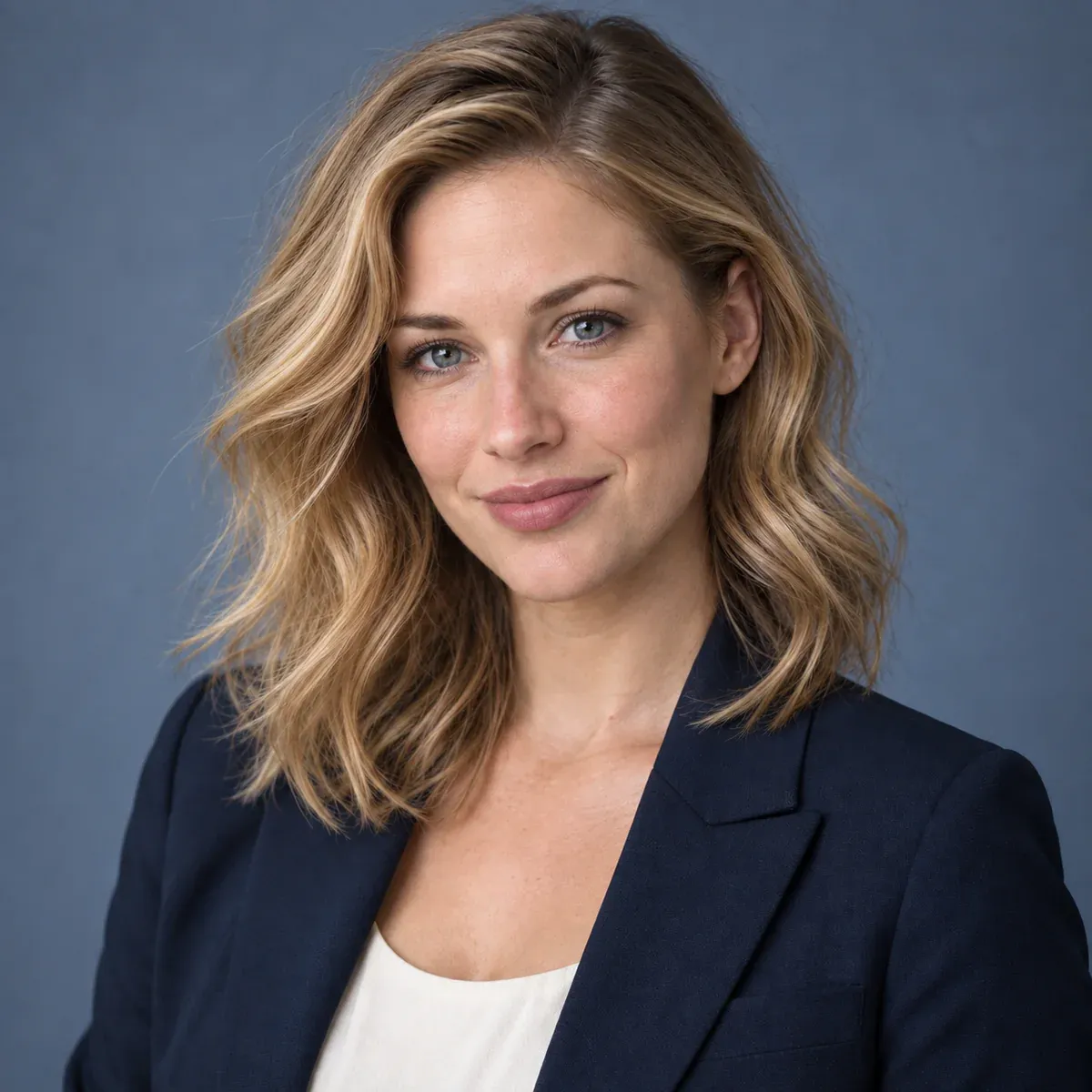
A chest-up professional portrait against blue-gray, with a clear face and naturally relaxed shoulders
Square headshots often end up in circular frames. Check that crop too, leaving room around the hair and chin.
2. Environmental Founder Portrait with a Working-Studio Setting
Use the adult in the uploaded photo as the identity reference, keeping their face shape, features, skin tone, apparent age, and hairstyle recognizable. Create an environmental portrait for an independent brand's website. The person wears an unbranded charcoal knit top and stands beside a wooden worktable in a bright studio. Their body is slightly turned, with a calm expression and eyes toward the camera. Both arms hang naturally at their sides, holding nothing. Place the person on the right. On the left, show a simple corkboard and a few material samples, with no readable text, computer screens, or other people. Window light enters from the left, giving the face a natural exposure. Keep the surroundings slightly soft while leaving the workspace recognizable. Frame to mid-thigh in landscape 3:2. Do not change the person's build or add logos, borders, or watermarks.

An environmental portrait beside a worktable includes both the person and a simple working space
Choose a setting that fits the intended use. A food-brand owner might use their own prep space; a designer might choose a sample shelf. Do not describe a generated set as a real office or studio.
3. Light-Background Team Headshot for a Consistent Grid
Use the adult in the uploaded photo as the reference. Preserve their face shape, eyes, nose, mouth, skin tone, apparent age, and hairstyle. Create a team-page headshot with an unbranded light-gray shirt. The person faces the camera with a slight smile and a relaxed posture. Frame from the upper chest, centering the person with naturally level shoulders and hands out of view. Use a bright warm-gray background and soft frontal light, with very light shadows and clean hair edges. Retain natural skin texture, identifying moles, and wrinkles. Do not change the shape of the teeth. Use a square composition with a moderate head size and room for a circular crop. No text or watermark.
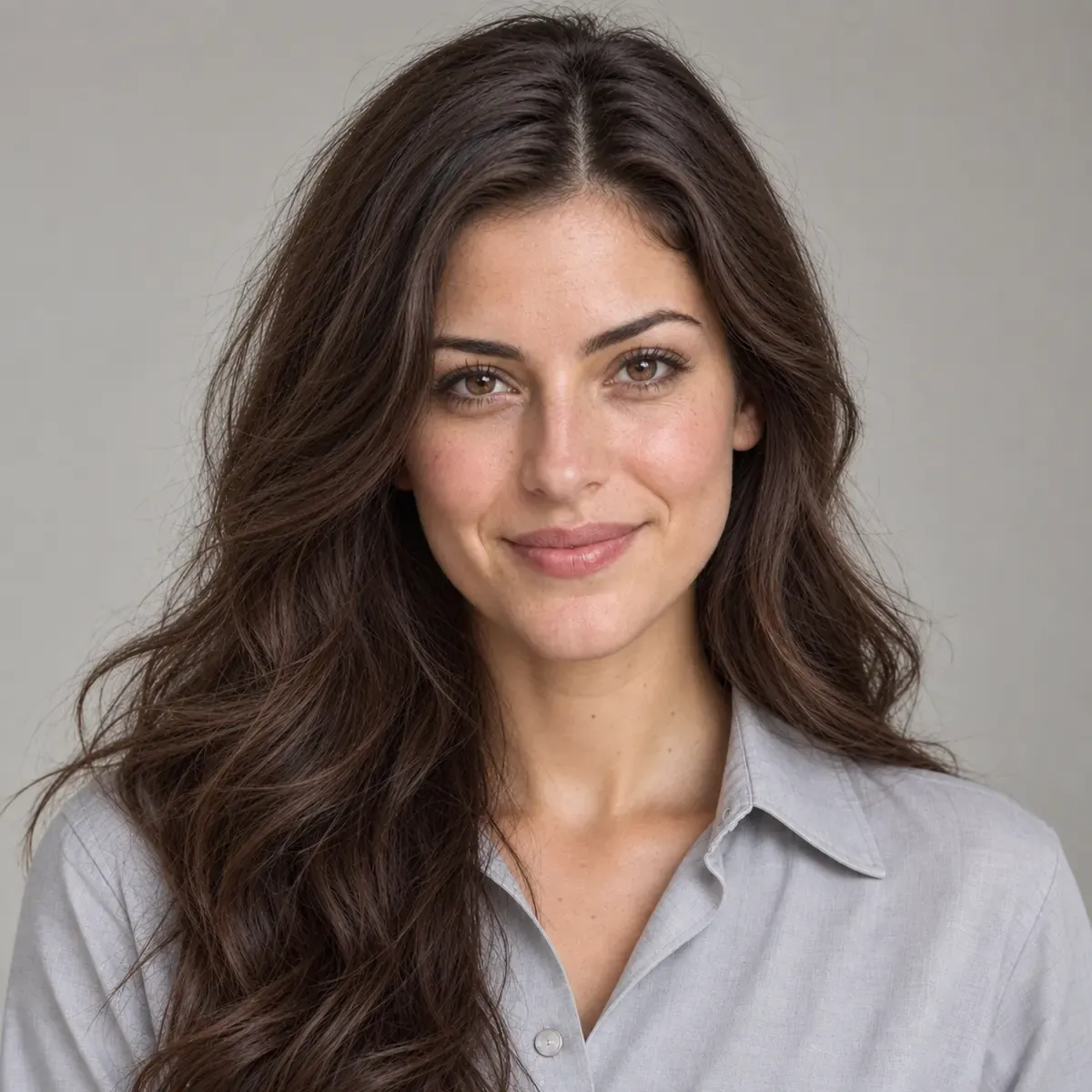
A front-facing team headshot uses a warm-gray background and soft light for a consistent presentation
4. Cobalt-Blue Editorial Portrait for a Personal Brand
Use the adult in the uploaded portrait, preserving their recognizable facial features, face shape, skin tone, age, and hairstyle. Create a magazine-style half-body portrait. The person wears a simply structured off-white blazer, turns their body to one side, and looks back toward the camera with their chin at a natural height. Arms hang down, with hands outside the frame. Use a saturated cobalt-blue seamless studio backdrop, with clear separation between the person and background. Soft side lighting illuminates the face, leaving a gentle shadow on the other side. Keep the collar, shoulder seams, and hair strands sharp. Position the person slightly off-center in a portrait 4:5 composition. Use vivid color without distorting skin tone. Do not add jewelry, lettering, headlines, or a border.
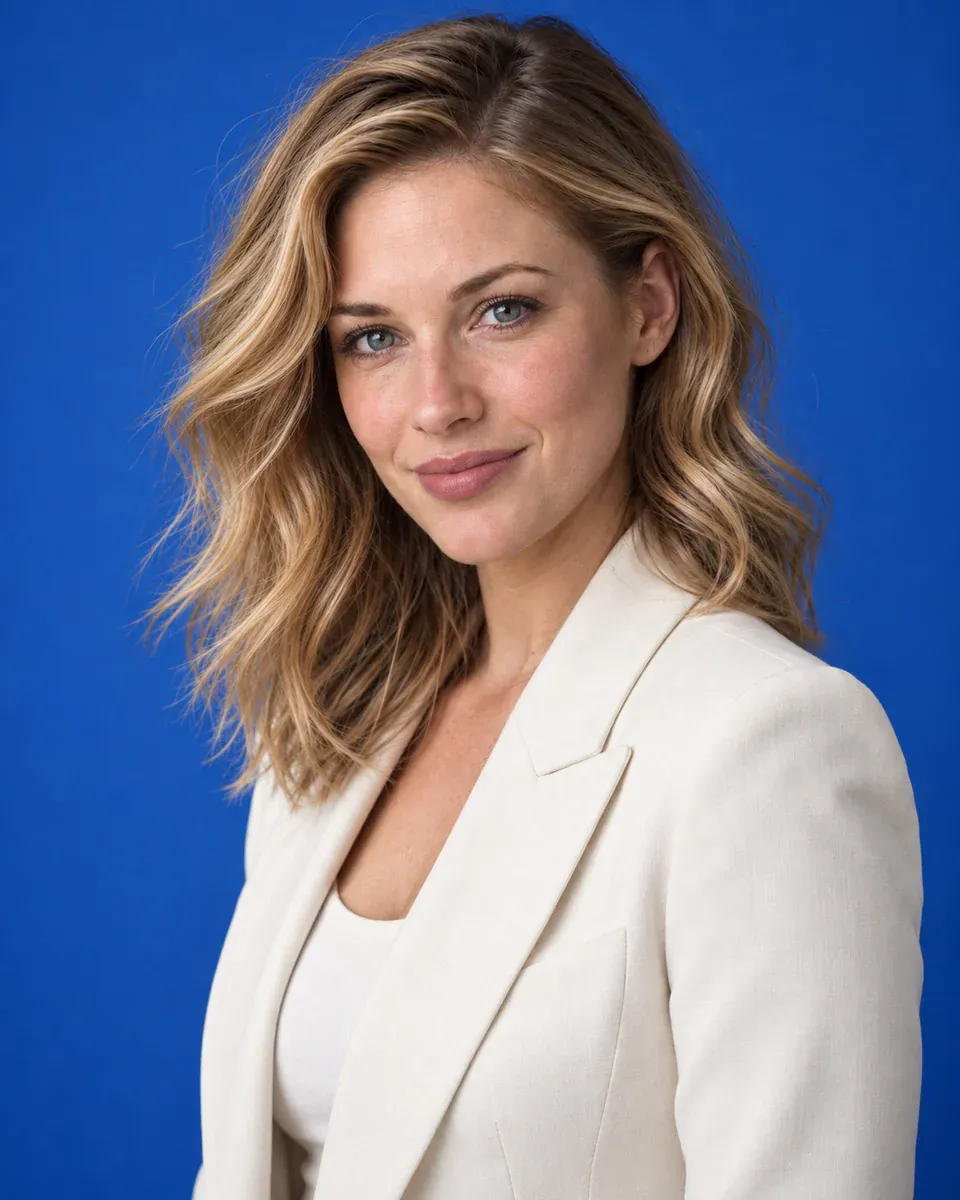
An off-white blazer contrasts with a cobalt-blue background in this editorial half-body portrait
Natural-Light Portrait Prompts for Windows, Streets, and Outdoor Settings
Natural light still has a direction. These four setups use a sheer curtain, open shade beside a building, low coastal sunlight, and garden shade. Each gives the setting a different role in the picture.
5. Seated Window-Light Portrait with Soft, Defined Features
Use the adult in the uploaded photo as the reference, preserving their facial features, face shape, skin tone, age, and hairstyle. Dress them in an unbranded beige knit top and seat them on a wooden chair near a large window. Turn the body slightly toward the window and the head gently back toward the camera. Both hands rest naturally on the thighs, fully visible and not overlapping. A white sheer curtain softens the daylight, creating a gradual transition between the lit and shaded sides of the face. Place the window on the left and avoid overexposing the face. Keep the background to a warm-white wall and curtain. Frame from above the head to just above the knees in portrait 4:5. Keep the eyes clear and retain skin and knit texture. No skin-smoothing glow, text, or border.
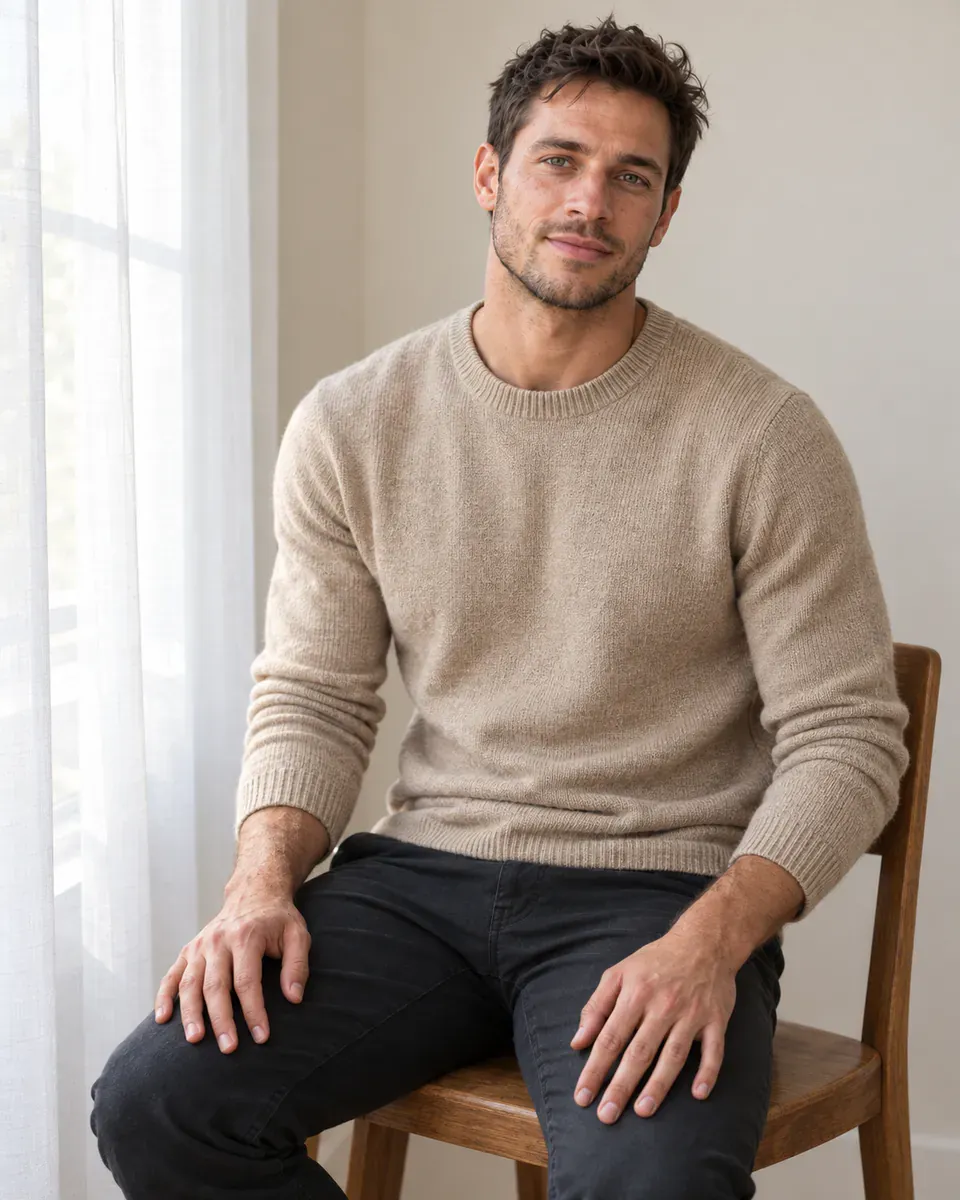
A seated portrait beside a sheer curtain retains facial contours and knit texture in soft side light
For a brighter version, adjust how deep the shadows should be. Adding backlight, direct flash, and candlelight to the same prompt creates conflicting instructions.
6. Open-Shade Street Portrait with Architectural Depth
Use the adult in the uploaded photo, preserving their facial features, skin tone, apparent age, hairstyle, and build. Create a daytime urban portrait. The person wears an unbranded olive-green light jacket over a plain top and stands beside a pale stone wall, leaning gently against it. Their arms hang naturally, and they look toward the left of the image. Keep the person in even shade cast by the building, with sunlight farther down the street and no patches of dappled light across the face. Frame to the waist, placing the person on the right and leaving the stone wall and receding street visible on the left. Landscape 3:2, with realistic skin and sharp hair. No passersby, readable signs, exaggerated wide-angle distortion, or watermark.
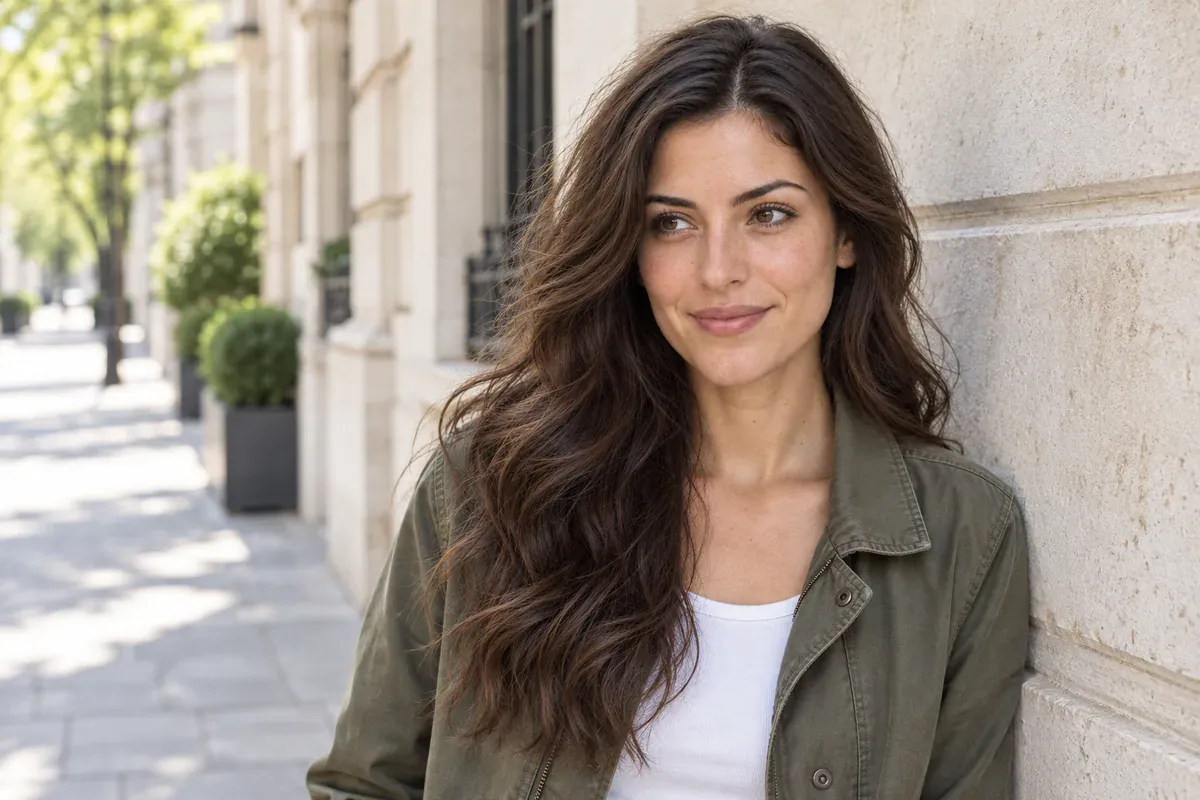
A shaded street portrait uses the stone wall and distant street to give the scene depth
7. Coastal Walking Portrait with Gentle Movement
Use the adult in the uploaded portrait as the reference, preserving their facial features, face shape, skin tone, apparent age, hairstyle, and body proportions. They wear an unbranded light-blue linen shirt and walk slowly along a quiet shoreline. Turn the face three-quarters toward the camera, with a relaxed expression. Frame to the waist. Let the arms swing naturally, with the hands below the frame. Low afternoon sunlight comes from the person's front right. A light breeze moves only a little hair and fabric, leaving both eyes unobstructed. Keep the sea and horizon simple and clear, and place the person on the left. Landscape 3:2 with frozen movement. No motion trails, heavy orange cast, extra people, text, or border.
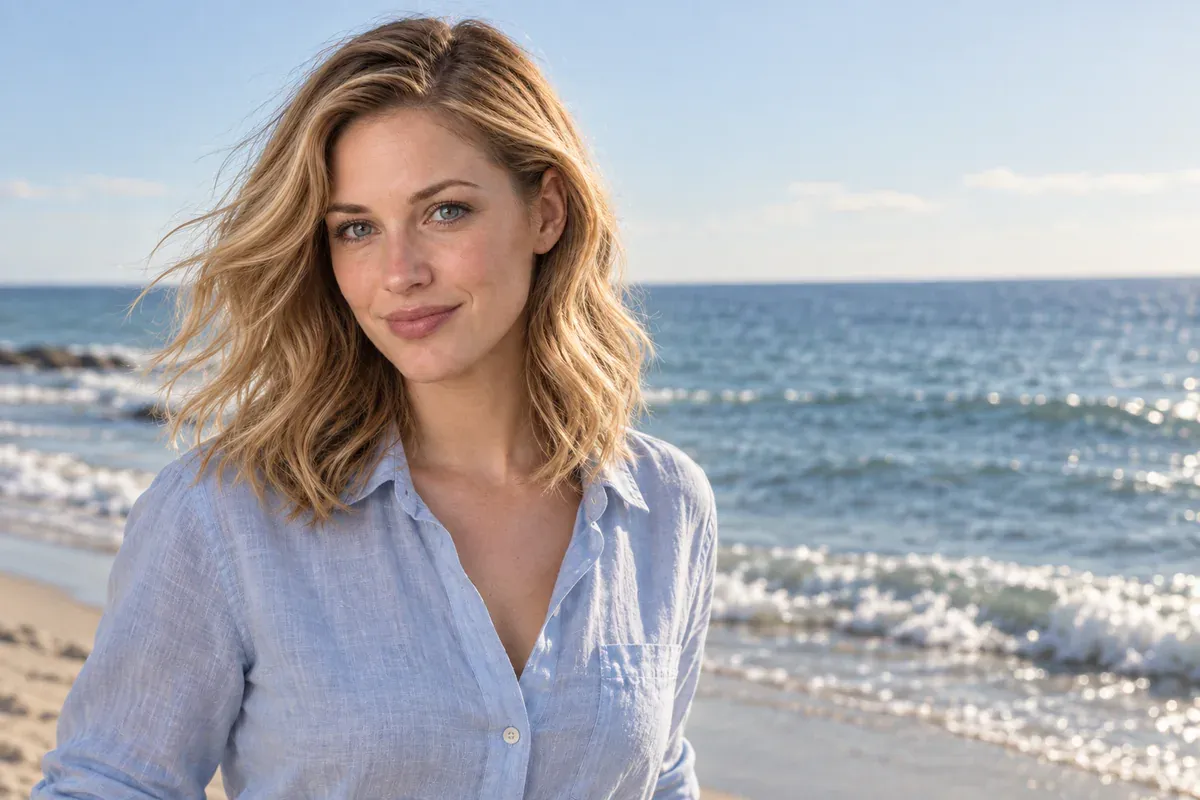
A waist-up coastal portrait combines front-side sunlight with slight movement in the hair and shirt
8. Garden Close-Up with Clear Eyes and Unobstructed Skin
Use the adult in the uploaded photo, preserving their face shape, facial proportions, skin tone, age, and hairstyle. Create a close portrait in a garden. The person wears an unbranded cream-white top and stands in tree shade, facing the camera with a gentle, natural expression. Frame from the chest up, with the head slightly left of center. Use a simple, softly blurred dark-green foliage background, with no branches or leaves in front of the face. Bright sky provides soft, even daylight and small natural catchlights in the eyes. Avoid dappled sun across the face. Square photo with visible pores and fine hair. No fluorescent-green skin cast, flower crown, added accessories, or text.
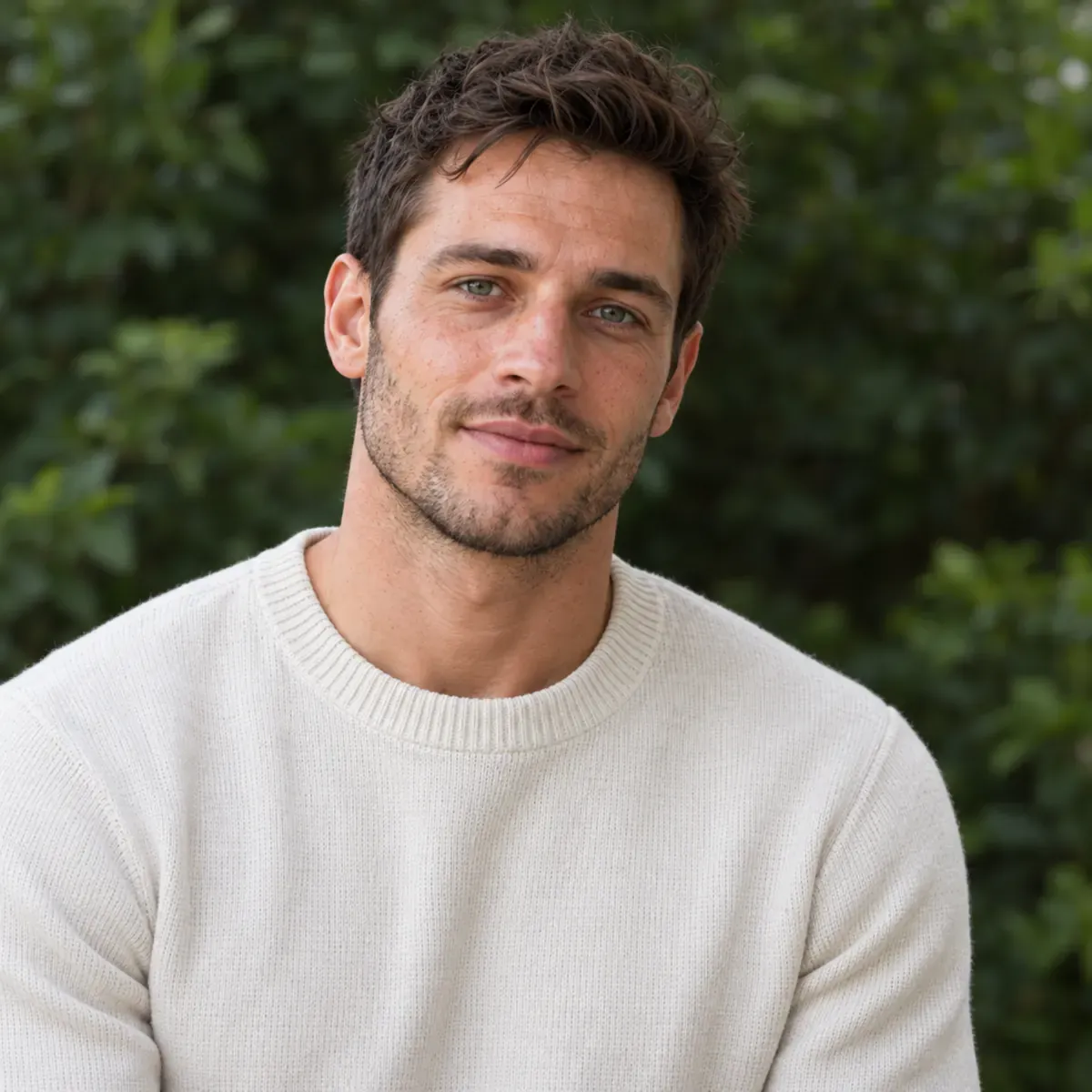
Deep-green garden shade sets off natural skin tone and clear eyes in a close portrait
Stylized Portrait Prompts: Black and White, Cinematic Light, and Vintage Sets
This group ranges from side-lit black-and-white close-ups to night-street portraits, full-length fashion, and vintage studio setups. Pick a direction from the illustrations, then try it with your own reference photo.
9. Black-and-White Side Lighting with Detail in the Shadows
Use the adult in the uploaded photo as the reference, preserving their face shape, facial features, apparent age, hairstyle, and body proportions. Create a black-and-white close portrait. The person wears a plain black crewneck top, turns their body slightly, and looks toward the camera with their lips naturally closed. Use a dark-gray background and one soft light from the front left. Keep the opposite side in a deeper shadow that still contains detail, without losing half the face to black. Frame to just below the shoulders in portrait 4:5. Use a rich range of grays, clear eyes, and natural skin texture. Do not add sweat, exaggerated wrinkles, smoke, text, or a border.
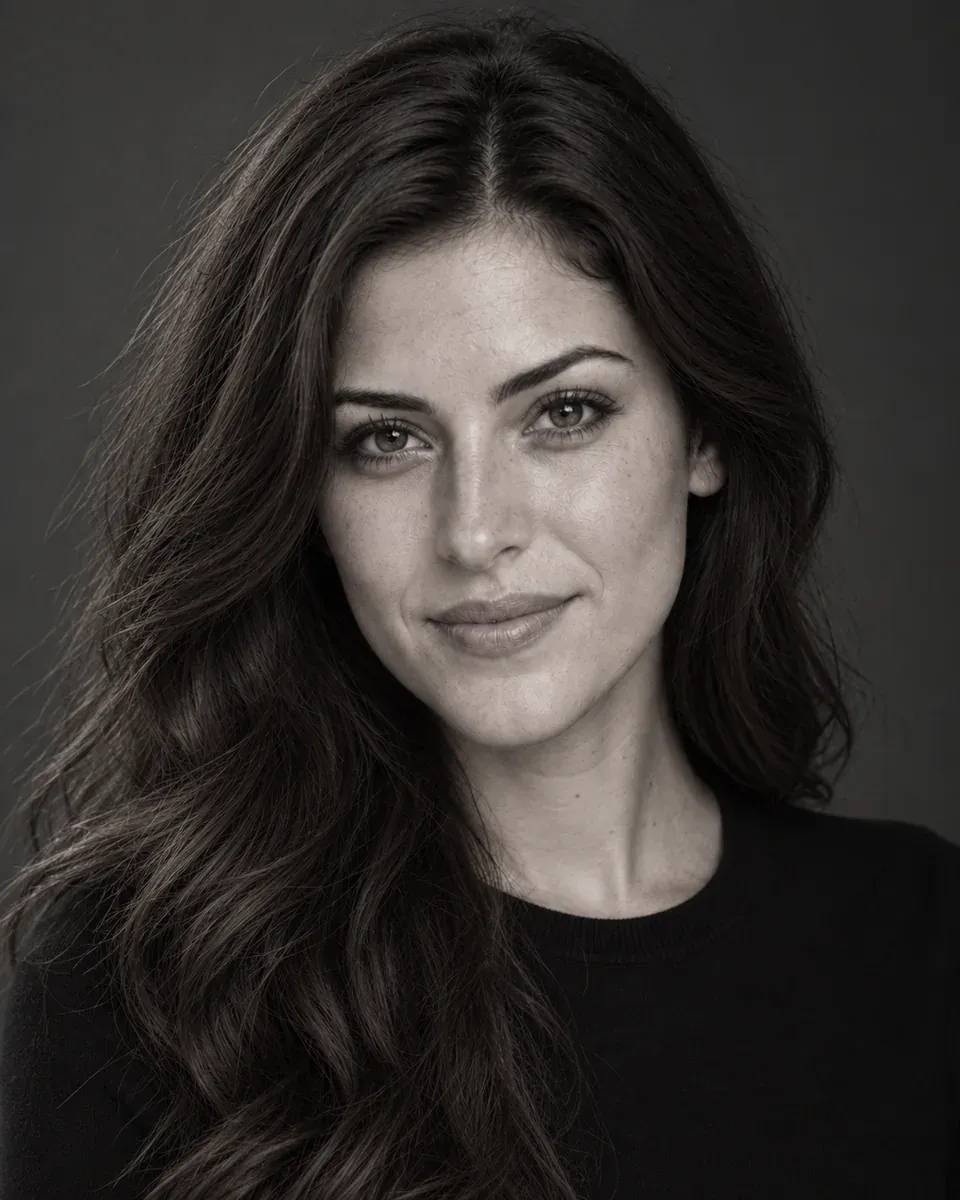
A side-lit black-and-white close-up retains visible eye and cheek detail on the shadowed side
10. Blue-and-Orange Night Portrait with Natural Skin Tone
Use the adult in the uploaded photo, preserving their facial features, face shape, skin tone, age, and hairstyle. Dress them in an unbranded dark jacket, standing at a street corner at night. The body faces forward while the face turns toward the camera. Frame from the chest up. Soft blue storefront light comes from behind the person's right side; warm orange light from the front left illuminates the face. Preserve natural skin tone, with blue light touching only the edges of the hair and jacket. Blur the streetlights into a few simple points, with no readable signs, raindrops, dense fog, or other people. Landscape 3:2, with the person on the right. Keep the eyes and hair sharp. Do not turn the whole face blue or add poster lettering.
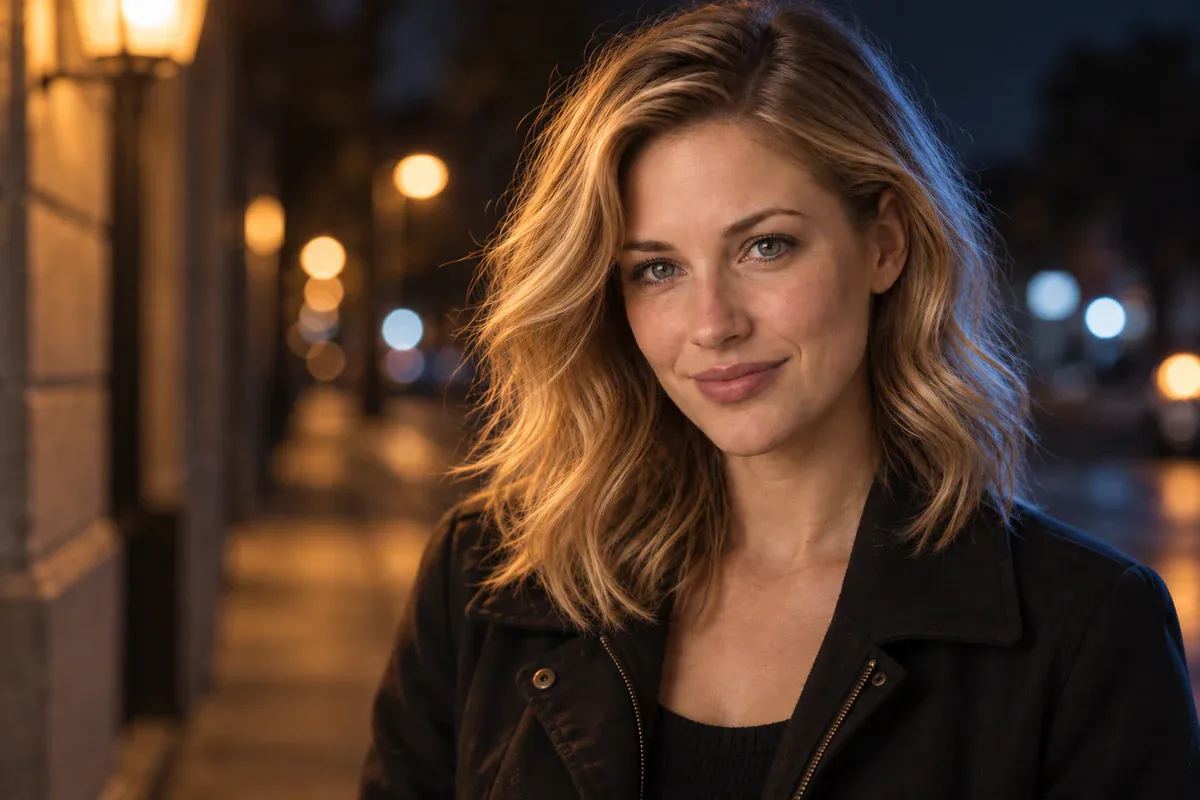
Warm light illuminates the face while blue rim light outlines the hair and jacket in a night-street portrait
11. Dusk Café Portrait with Warm Indoor and Cool Outdoor Light
Use the adult in the uploaded photo as the reference, preserving their facial features, face shape, skin tone, age, and hairstyle. They wear an unbranded dark-brown knit top and sit beside a café window, body slightly turned and eyes looking outside. Use a chest-up three-quarter view. One warm indoor lamp gently illuminates the face from the front left, while a blue-gray street at dusk is visible outside. Show the face directly, not through glass, and do not create a second face in the window reflection. Keep the background simple, using the window frame only as an edge in the composition. Portrait 4:5, with realistic skin and clear eyes. No coffee cup blocking the face, extra people, text, or watermark.
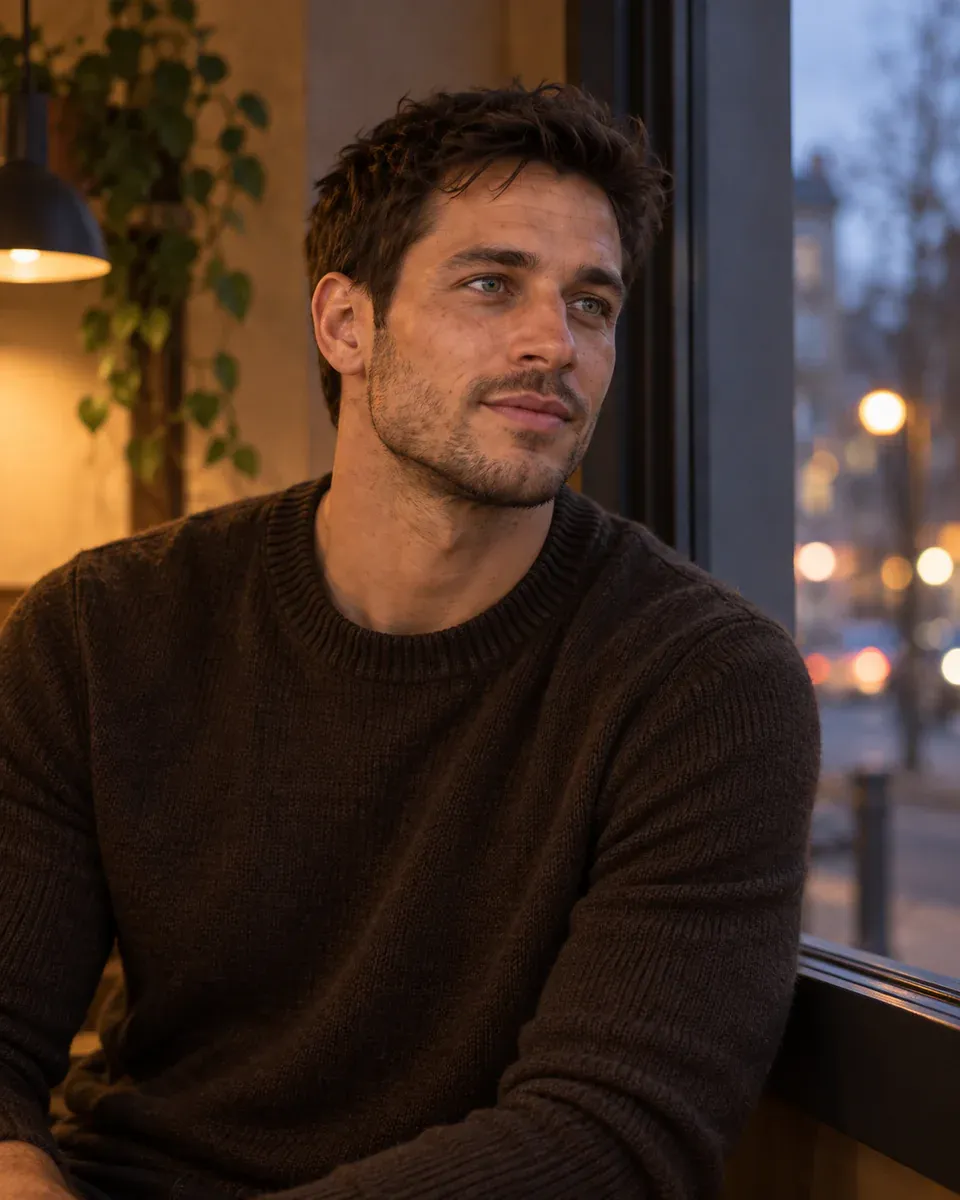
A café portrait at dusk contrasts warm light on the face with the blue-gray scene outside the window
12. Warm Film-Inspired Portrait That Keeps the Details Sharp
Use the adult in the uploaded portrait, preserving their face shape, facial features, skin tone, age, and hairstyle. They wear an unbranded brick-red knit top and sit on a pale sofa in a bright living room, leaning slightly forward and looking toward the camera with an easy, conversational expression. Frame to the waist, keeping both hands out of view. Daylight enters from the right. Limit the background to a light-beige wall and part of the sofa. Use warm, gentle color while retaining tonal detail in the skin, with a small amount of fine film grain. Keep the eyes, hair, and clothing edges clear. Landscape 3:2. No faded haze, heavy noise, date stamp, or white border.
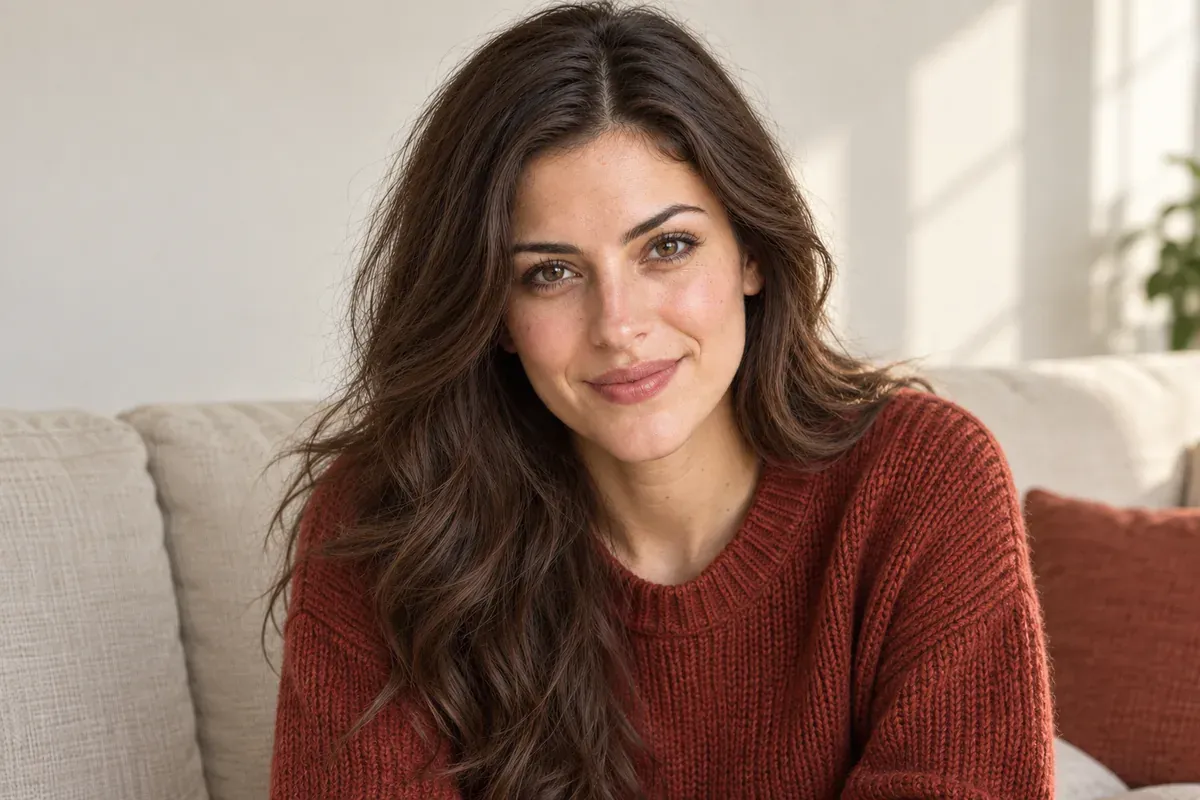
A warm living-room portrait uses a light film texture without obscuring the eyes or clothing details
Film character does not require a blurry face. If the face loses definition, remove phrases such as "soft focus" or "heavy grain" and inspect the exported source file again.
13. Direct-Flash Wall Portrait with a Defined Shadow
Use the adult in the uploaded photo, preserving their facial features, face shape, skin tone, apparent age, and hairstyle. They wear an unbranded black leather jacket over a white crewneck top and stand in front of a warm-beige wall. They look directly at the camera with relaxed shoulders and no exaggerated expression. Keep the camera at eye level. Use direct flash close to the lens axis, creating one clear, plausible shadow on the wall behind the person. Skin should have normal highlights without looking greasy or plastic. Retain realistic reflections and folds in the jacket. Square half-body composition with hands out of frame. No red-eye, duplicate body shadows, text, date stamp, or border.
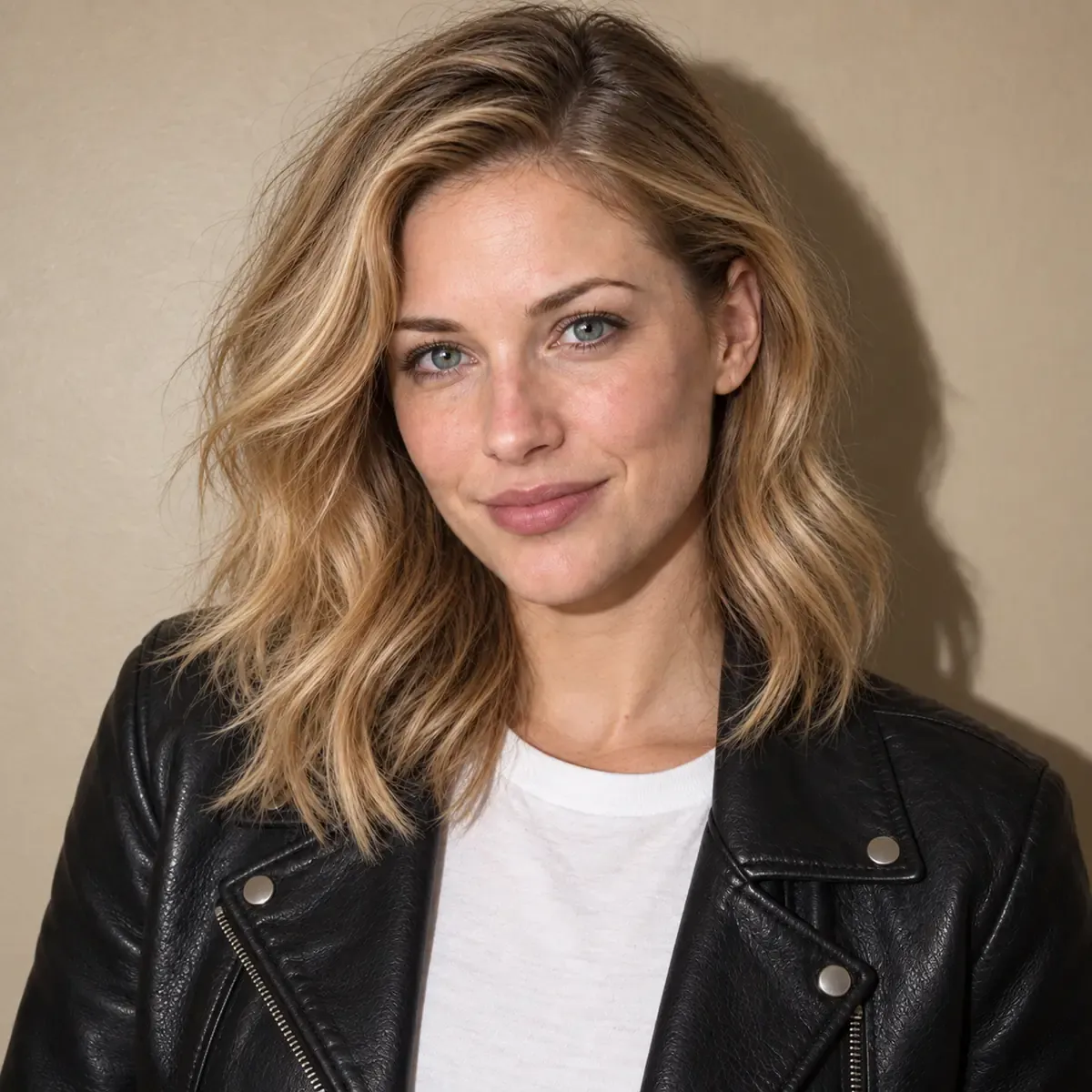
A direct-flash portrait against a warm-beige wall has clear outlines and a consistent shadow direction
14. Full-Length Fashion Portrait Beside a Curved Staircase
Use the clear full-body photo of an adult as the identity and build reference. Preserve their facial features, skin tone, age, hairstyle, and body proportions. Dress them in an unbranded dark-green long dress and flat black shoes. They stand on level ground in front of a pale curved staircase, feet naturally apart, arms down, and head turned toward the camera. Include the complete head, both hands, and both feet. Keep the dress hem clear of the ground, and do not merge the shoes into the steps. Use a natural camera height, placing the person slightly right of center. The staircase curves behind them without cutting through the body. Soft skylight, portrait 2:3. Keep the face, fingers, and fabric folds clear. Do not lengthen the legs, narrow the waist, or add text.
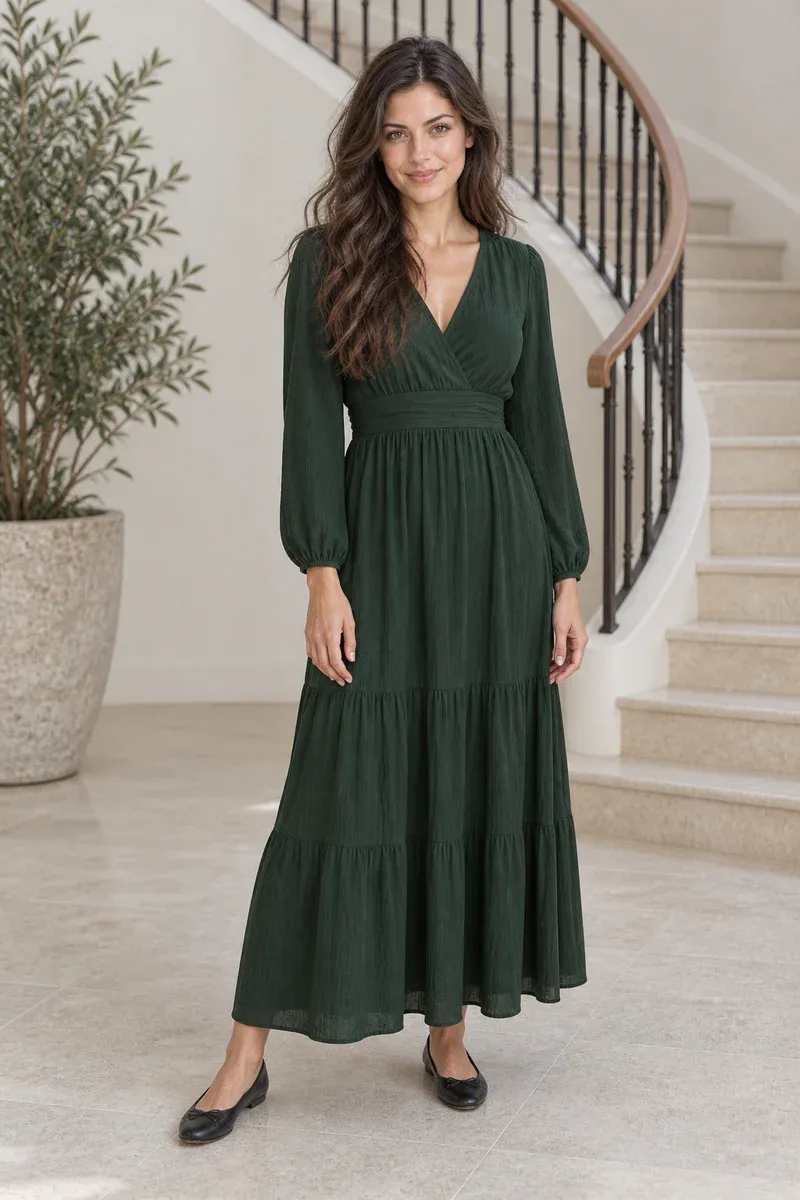
A full-length fashion portrait beside a curved staircase shows the dress hem, hands, and shoes completely
This prompt changes the outfit. If you need to show a particular dress you sell, "a green dress" is not enough. Provide a product image and check the neckline, sleeves, length, and material against it.
15. Vintage Studio Portrait with a Deep-Brown Backdrop
Use the adult in the uploaded photo, preserving their face shape, facial features, skin tone, age, hairstyle, and build. Create a vintage studio portrait. The person wears an unbranded cream-white shirt and sits on a simple wooden chair, with the body slightly turned and the face toward the camera. Their expression is calm. Each hand rests naturally on a thigh, fully visible, without crossed or clasped hands. Use a smooth deep-brown fabric backdrop with very subtle material variation. A large soft light comes from the front left, creating gentle facial shadows and restrained warm color. Frame to just above the knees in portrait 4:5. Keep the skin, hair, shirt, and chair construction clear. Do not add cracks, old-photo creases, text, or a picture frame.
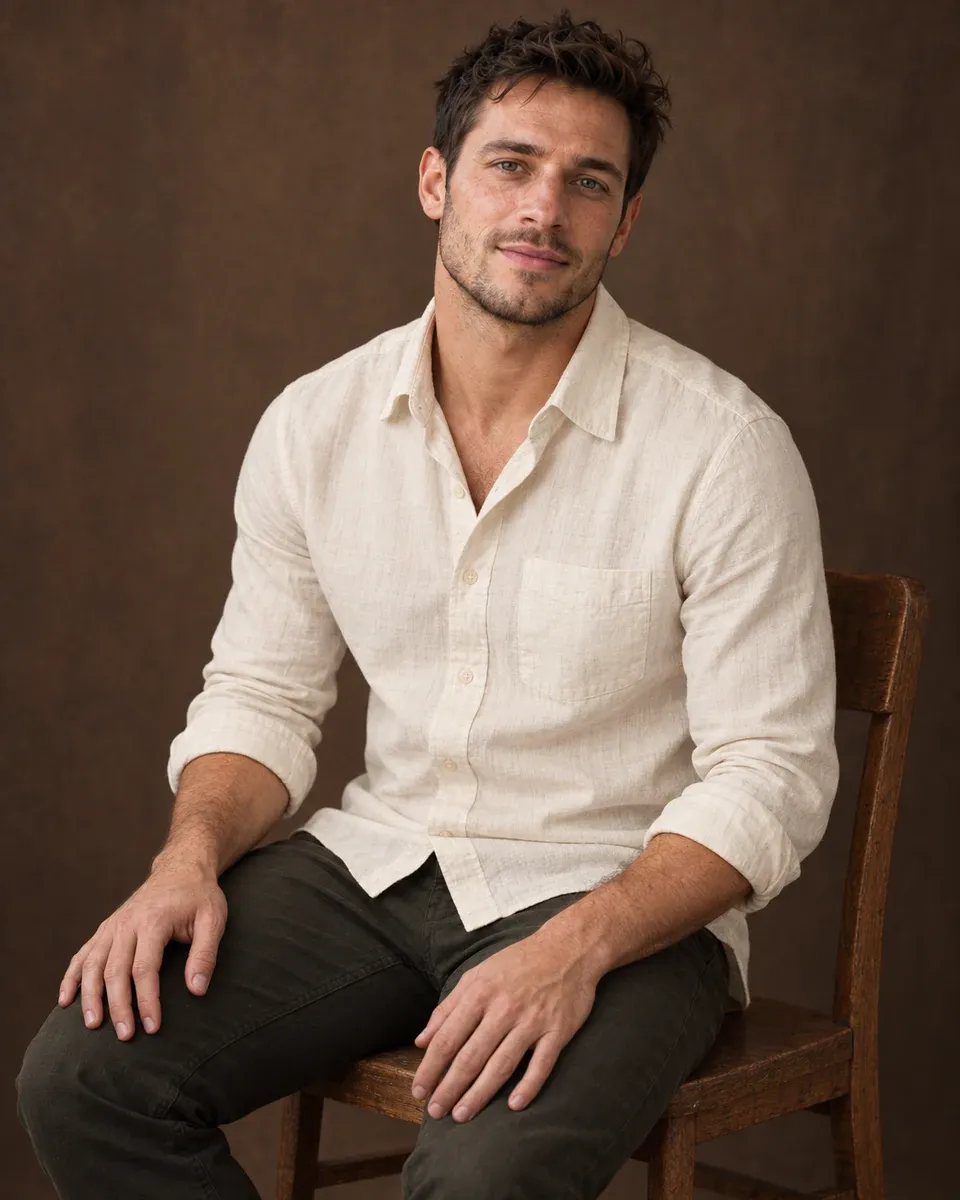
A seated vintage portrait uses a deep-brown backdrop and soft light while keeping shirt and skin texture clear
When an AI Portrait Does Not Look Like You: Edit or Start Again?
Compare the generated picture with the original side by side. Look at the distance between the eyes, the nose, jawline, and hairline. Skin tone, apparent age, and the style of any glasses should also match. Changing the portrait style should not quietly change the features that make the person recognizable.
What you see | What to do next |
|---|---|
The face shape, eyes, or nose have changed noticeably | Return to the original reference photo, simplify the style request, and generate again. Do not keep polishing the wrong face. |
The person still looks right, but an unwanted object appears in the background | Select the background area for a local edit and request that the person remain unchanged. |
Skin is too smooth, but facial features have not changed | Remove requests for "flawless" or "perfect" skin and ask for natural texture. Do not bury the problem under heavy grain. |
A full-body image has incorrect leg proportions, fingers, or shoe construction | Attempt a local repair only when the source clearly shows the correct structure. Generate again if the overall body proportions are wrong. |
For example, the person and lighting may already work, but an unwanted picture frame has appeared on the wall. You can select the background for a local edit in the PixPix workbench. Keep the selection clear of the hair and shoulders, then use a narrow instruction:
Remove only the picture frame on the background wall inside the selected area. Fill that area with a smooth wall matching its surroundings. Preserve the person's face, hair, body, clothing, pose, lighting, and image crop. Do not add any new objects.
Check the person's edges after the repair. A local edit still needs inspection. If the face is already wrong, do not use that result as the identity reference for the next round.
GPT Image 2.5 Portrait Prompt FAQs
1. Can I create a fictional person without a reference photo?
Yes. Replace "use the adult in the uploaded photo" with a description of the fictional person's appearance, then specify clothing, pose, and setting. The result is a new character, not a photograph of a real employee or founder. If the image needs to represent you, provide a clear photo of yourself.
2. Can I use the same prompt for an entire team's headshots?
Use the background, clothing requirements, framing, and lighting as a shared template, but supply a separate authorized photo for each person. Arrange the results together and compare head size, crop, and background brightness. A consistent presentation should not change anyone's skin tone, age, or facial features.
3. Can AI recover someone's real features from a blurry reference?
A sharper-looking result does not mean missing information has been recovered. When eyes, teeth, or a hairline are unclear, generated details are not reliable evidence of the person's actual appearance. For profile photos and team pages, use a clearer original rather than relying on "HD restoration" to cover gaps in the reference.
Official References for Portrait Generation and Editing

AI Image Tool Built for E-commerce Teams
For new product launches, advertising, and promotional campaigns, use AI to generate product images, scene visuals, ad creatives, and short video assets — making content production faster.