8 GPT Image 2.5 Packaging Design Prompts
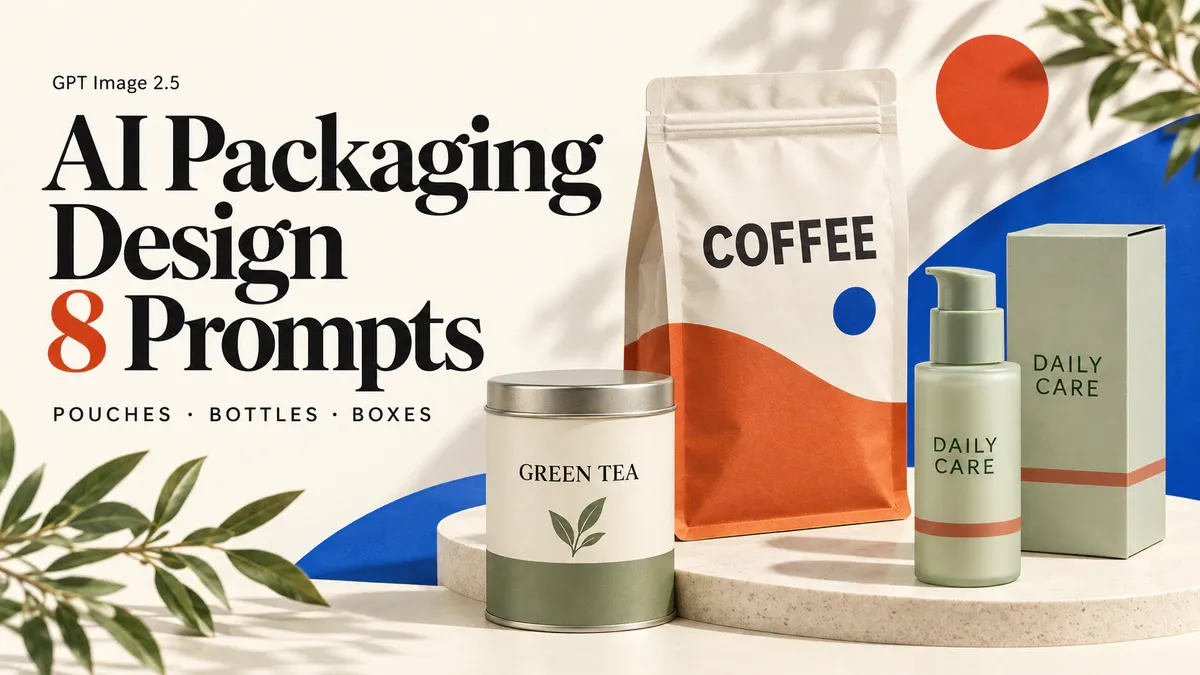
You don't need to fill every inch of a package with copy in the first concept. Its shape, main color and front-panel layout should be clear enough to judge before you add the finer details. That's a useful place to start with AI packaging design: turn a loose idea into a visual direction you can discuss with a designer.
These eight GPT Image 2.5 packaging design prompts cover front-panel hierarchy, matching bottles and cartons, product ranges, paper sleeves and unboxing layouts. Pick a format for a brand presentation, a new product concept or a conversation with a supplier. Each comes with a copyable prompt, a visual example and a specific check. The images help you explore a design; they are not print-ready artwork.
1. Start your packaging prompt with the container and front-panel copy
“Premium,” “minimal” and “tactile” leave a lot unanswered. Is this a stand-up pouch or a carton? Does an existing bottle shape need to stay unchanged? Should the product name, brand name or an illustration get the most space on the front?
If you already have packaging, upload a clear photo with the complete outline visible. Ask to preserve its shape, closure and proportions. The examples below start from text; to adapt one to an existing package, add: “Use the uploaded package photo as the structural reference. Preserve its silhouette, closure, proportions and visible seams. Change only the surface artwork.” This limits the requested change to the surface design rather than a new container.
Without a sample, you can still compare visual directions. Keep the container type fixed while trying two palettes or illustration styles. Changing the bottle, lettering, material and background together makes it harder to tell which change improved the design.
Enter a prompt on PixPix's GPT Image 2.5 page, and add your package photo if you have one. Otherwise, generate from the written brief. The illustrations here are original AI concept examples, not verified outputs from GPT Image 2.5 or photographs of manufactured packaging.
2. Single-product packaging prompts: give the front a clear focus
1. Coffee pouch design: make the product name easy to spot
A first coffee-pouch concept doesn't need the origin story, tasting notes and every specification on the front. Start with a product name and a strong color block. Check that the pouch stands plausibly, the zipper is visible and the lettering stays off the folds.
Create a photorealistic packaging concept for one upright resealable coffee pouch. Use a warm ivory matte surface with a bold burnt-orange lower panel and a small cobalt-blue circle. Print only the word “COFFEE” in large, clean dark lettering on the flat front area below the zipper. Keep a believable sealed top, zipper line, side gussets and stable flat base. Show the full pouch from a slight three-quarter angle on a pale blue studio surface, with crisp soft shadows and generous space around the package. No extra words, brand logos, coffee beans, badges, barcodes or props. Vertical 4:5 composition, sharp paper texture and realistic folds.
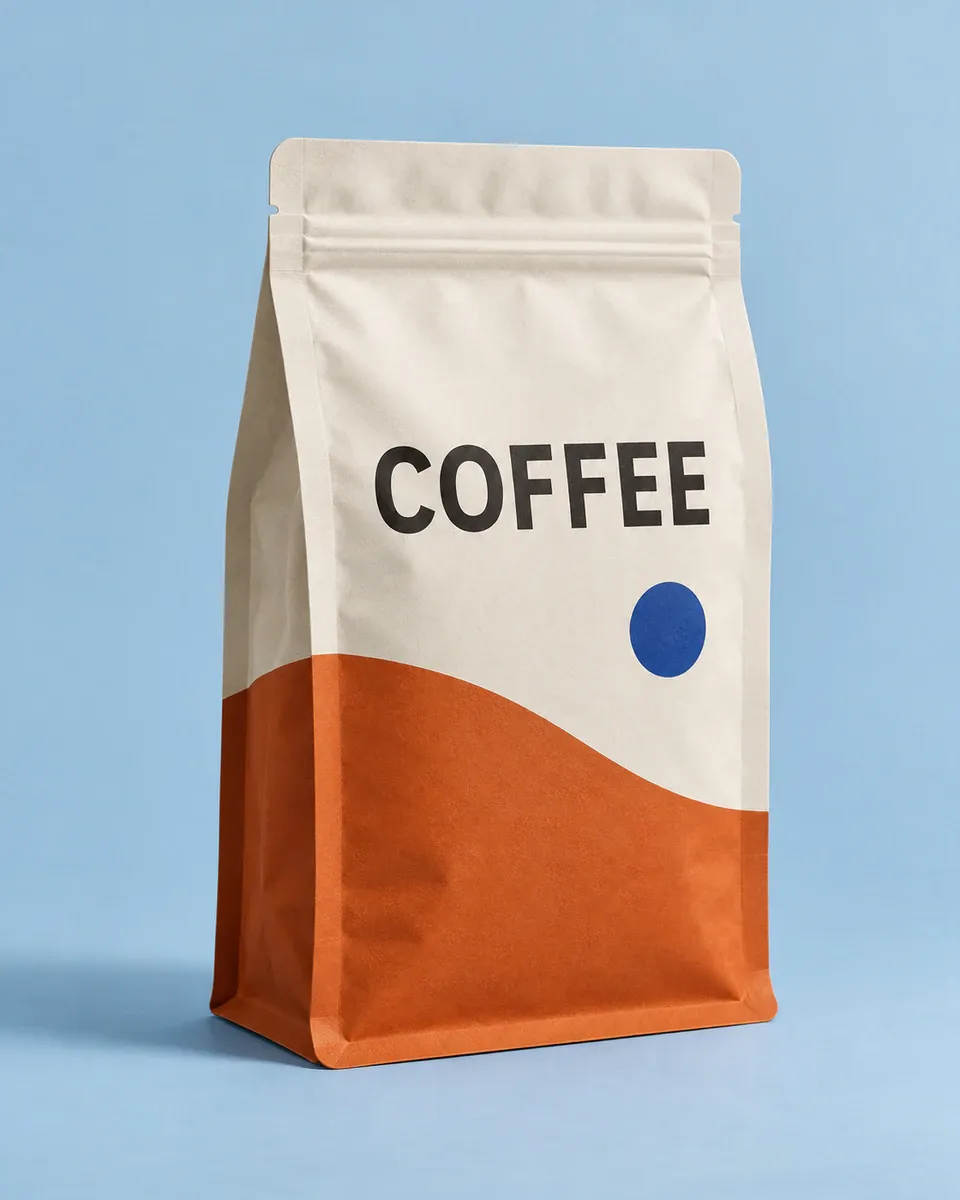
Ivory and orange coffee pouch with the product name on the flat area below the zipper
If “COFFEE” lands on the closure, ask: “Move the word COFFEE lower, entirely below the zipper. Keep the pouch shape and colors unchanged.” There's no need to rewrite the whole brief for one placement issue.
2. Skincare bottle and carton: make the pair look related
The bottle and its outer carton should look like they belong to the same range. This concept repeats a short title and a color band. The bottle stays relatively spare, while the carton gives the front design more room.
Design a photorealistic skincare packaging concept with exactly one frosted pale-sage cylindrical pump bottle and one matching closed rectangular carton beside it. Both packages use the exact words “DAILY CARE” in dark green, with the same narrow terracotta color band near the lower third. The carton is slightly taller and wider than the bottle, with enough apparent room to contain it. Show the bottle front and the carton front plus one narrow side. Keep the pump physically plausible and the bottle label aligned with the carton typography. Place them on a warm ivory studio surface with angled morning light. No extra products, ingredients, claims, quantities, certification symbols or readable small print. Horizontal 3:2 composition, refined commercial photography.
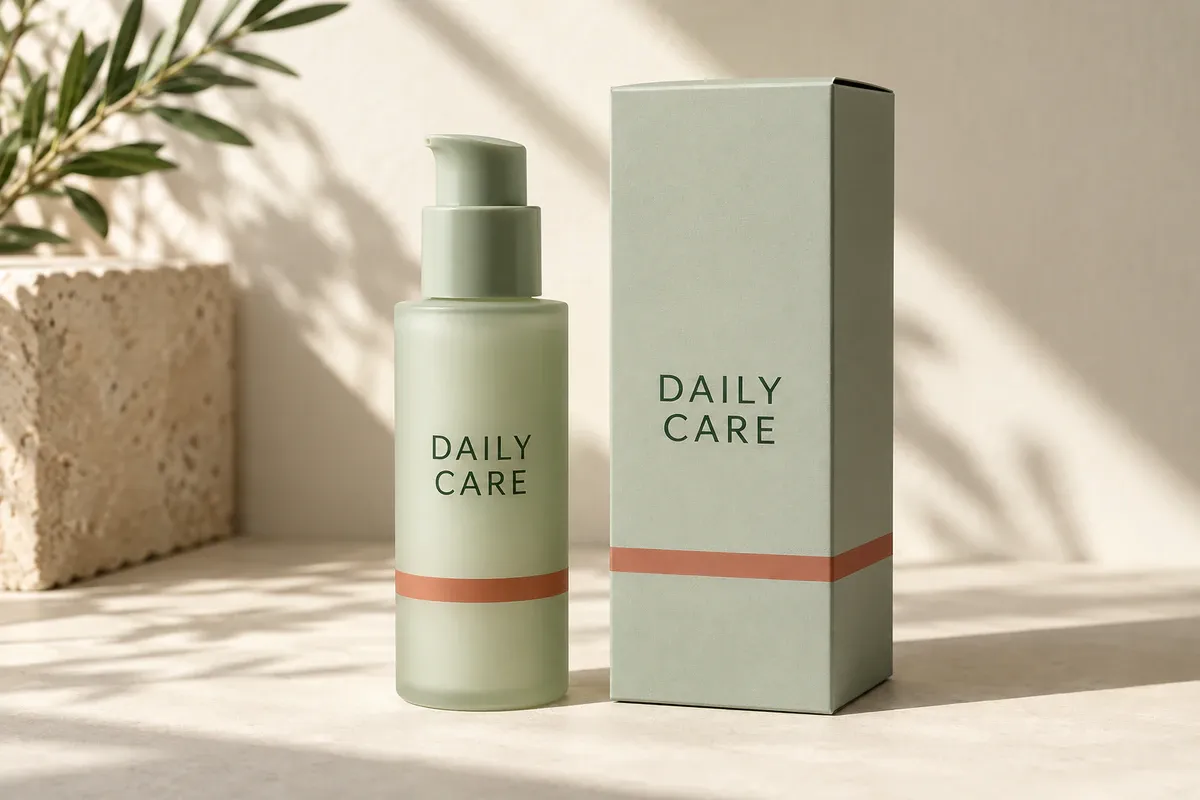
Pale-sage skincare bottle and carton sharing DAILY CARE lettering and a terracotta band
Save the version with the shape and layout you want before exploring alternatives with PixPix Product Recolor. After recoloring, compare the bottle, pump and lettering against that saved version so unintended changes don't carry forward. On-screen colors help you choose a direction; a physical sample on the intended material is still needed to assess the final color.
3. Chocolate sleeve packaging: show how the artwork wraps around
A paper sleeve wraps around the inner packaging; it isn't another closed box. Leaving the dark wrapper visible at both short ends makes the sleeve's coverage easy to see.
Create a top-down editorial packaging photograph of one rectangular chocolate bar in a dark-brown inner wrapper, fitted with one snug cream paper sleeve around its middle. The inner wrapper remains visible at both short ends. The sleeve carries a simple cobalt-blue botanical line drawing that wraps cleanly over the long side edges, plus only the words “DARK CHOCOLATE” on its flat top face. Show subtle folded paper edges and a believable thin sleeve, not an outer carton or a floating label. Place the single wrapped bar diagonally on a full-bleed warm peach background, with a small natural cast shadow. No unwrapped chocolate, crumbs, ingredients, seals, percentages or additional text. Square composition, crisp paper detail.
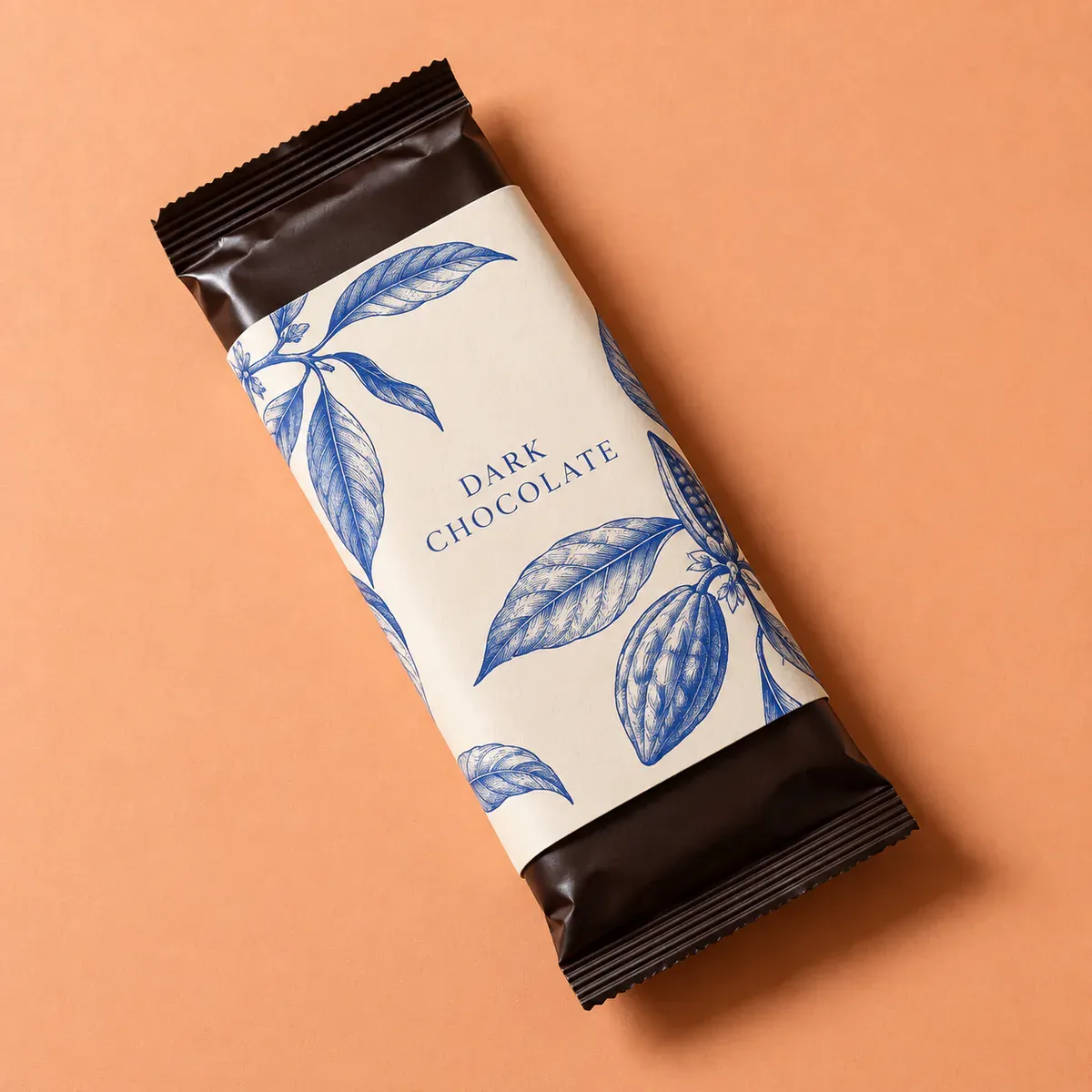
Cream chocolate sleeve around the middle, with dark inner wrapping visible at both ends
Look closely at the long edges. The artwork should follow the paper as it turns, rather than hover over the image like a flat sticker. If both ends are covered, ask again for the “inner wrapper visible at both short ends.”
3. Packaging ranges and materials: control what changes
4. Tea tin collection: distinguish varieties within one layout
Three varieties can share a tin shape, typeface and text position, with bands and symbols identifying each one. A side-by-side concept makes consistency easier to assess than three unrelated designs generated separately.
Create one front-facing packaging lineup containing exactly three identical cylindrical tea tins, equally spaced and the same height and diameter, with matching flat metal lids. Use warm off-white bodies and one consistent dark serif typeface at the same position and size. The left tin says “GREEN TEA” with a sage-green lower band and a simple leaf symbol; the middle says “BLACK TEA” with a terracotta lower band and a small sun symbol; the right says “MINT TEA” with a muted blue lower band and two slender leaf shapes. All lettering stays on the visible front surfaces. Use a clean ivory seamless background, evenly lit like a design presentation photograph. No extra tins, packaging boxes, claims or decorative props. Wide 16:9 composition, sharp and orderly but not a digital flat illustration.
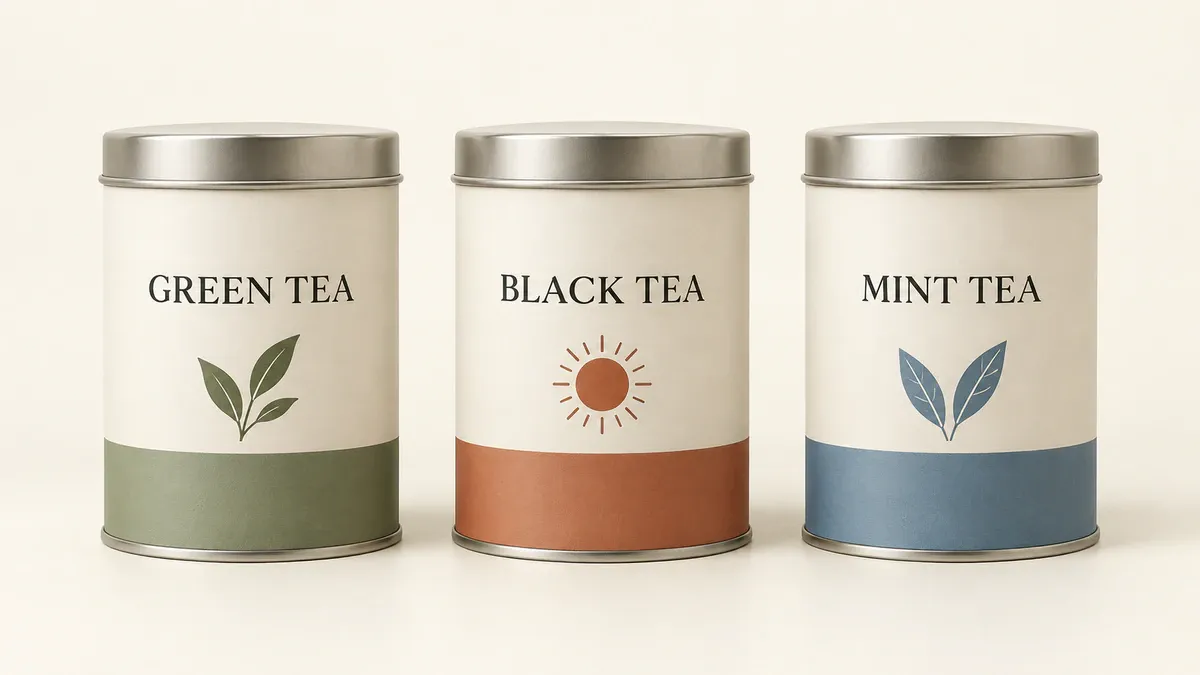
Three matching tea tins with consistent lettering and different bands and symbols
Cover the variety names briefly and check whether the shapes and layouts still match. Then confirm that each name has the intended color. If the lettering on one tin moves out of position, request a change to that tin only.
5. Candle packaging: compare glass and paper finishes up close
Glass, textured paper and small metallic lettering can become overly glossy in a generated image. One jar and one box are enough to explore how those materials work together.
Create a close but complete studio packaging photograph of exactly one unlit candle in a smoky amber glass jar beside one closed rigid paper box. The box has a deep plum, lightly textured paper surface and a small restrained gold-toned title reading “SLOW EVENING”; the jar uses the same words on a small cream label. The box is visibly large enough to contain the jar. Show realistic glass thickness, a level ivory wax surface and one centered wick. Use a burgundy background with soft side lighting that reveals paper grain without glossy plastic reflections. No flames, flowers, extra jars, metallic gradients covering the whole box or additional words. Vertical 4:5 composition, full objects in frame, tactile and understated.
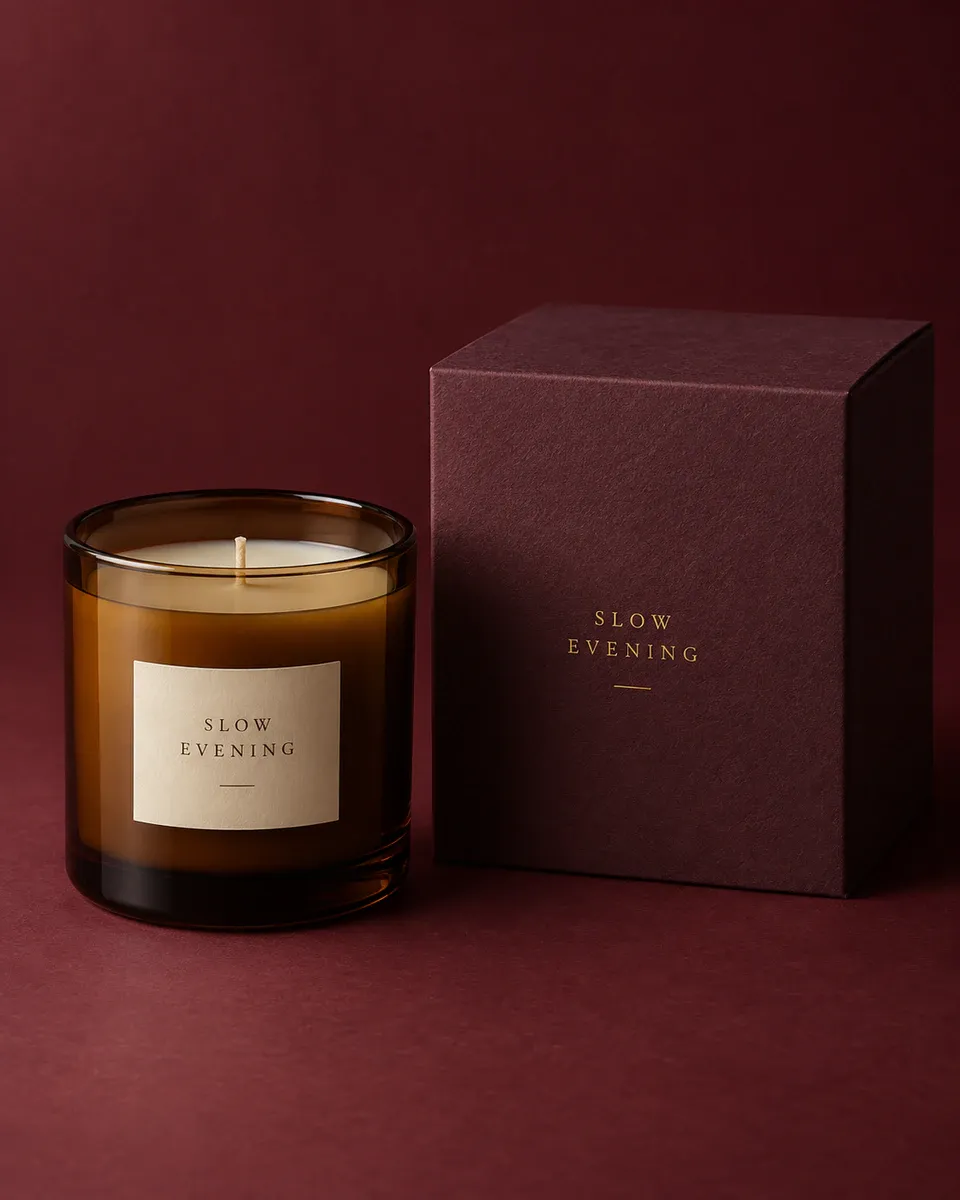
Amber candle jar beside a plum-colored box, with side lighting revealing the different materials
The gold-toned text expresses a visual preference, not a confirmed finish. A designer and supplier will need to discuss whether to use foil, how fine the lettering can be and how it works with the chosen paper. Don't promise a production result based on the mockup alone.
4. Box interiors and exteriors: panels, unboxing and inserts
6. Apparel mailer design: put the message inside the lid
An outer box can stay simple while a short greeting and a brand color appear when it opens. Here, the message belongs on the inner lid, and tissue partly covers the garment. Extra props would distract from the packaging itself.
Create a realistic three-quarter overhead photograph of one open kraft corrugated apparel mailer box. The lid is attached at the back with a believable fold, side flaps and locking tabs. Print the exact words “GOOD THINGS INSIDE” once, centered on the inside lid in cobalt blue. Inside the box is one folded cream T-shirt, partially covered by a single sheet of blue tissue paper folded neatly at the sides. Keep the shirt visibly inside the box and the tissue thin and flexible. Place the box on a pale warm-gray studio surface with soft daylight. No hands, ribbons, thank-you cards, extra clothing or outside labels. Horizontal 3:2 composition, full open lid and complete box visible.
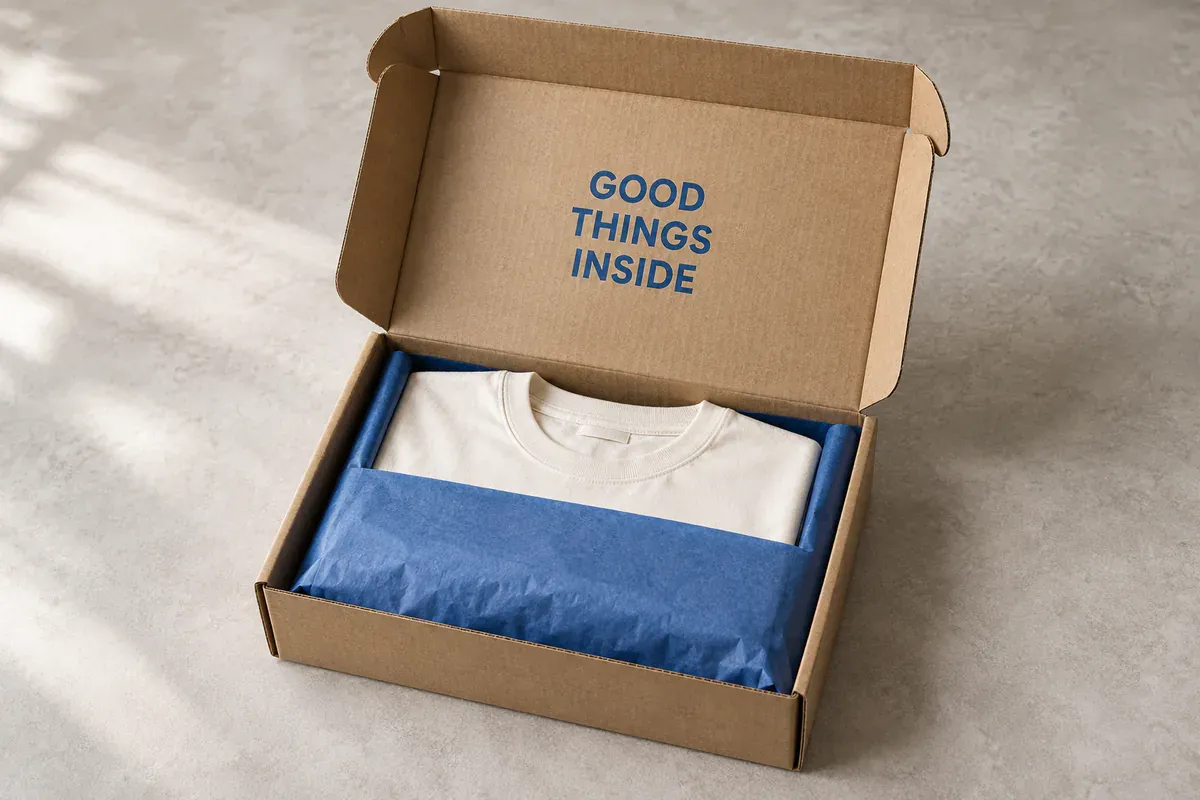
Open apparel mailer with a message inside the lid and blue tissue partly covering a folded shirt
Check that the lid connects to the box and that the folded shirt doesn't pass through a wall. Attractive typography won't make an impossible structure useful for a packaging discussion.
7. Electronics carton design: separate the front from the side panel
Generated electronics packaging can fill up with convincing-looking but unverifiable small print. At the concept stage, establish where information will go. Add port counts, power ratings and certification artwork only from confirmed source material.
Create a photorealistic packaging design concept for one compact desktop charger carton, shown from a three-quarter angle so the front and right side are visible. Use a pale warm-gray carton with a bold ultramarine block across the lower front. On the front, place only the title “DESK CHARGER” and a small simple silhouette of a compact rectangular charger, with no visible ports or technical details. Keep the right side plain except for two narrow decorative blue rules near the base, clearly graphic accents rather than text. Show crisp folded carton edges, realistic thickness and a closed top flap. Use a cool gray studio background and subtle shadows. No power ratings, compatibility claims, certification marks, QR codes, barcodes or fake tiny writing. Horizontal 3:2 composition, full box visible.
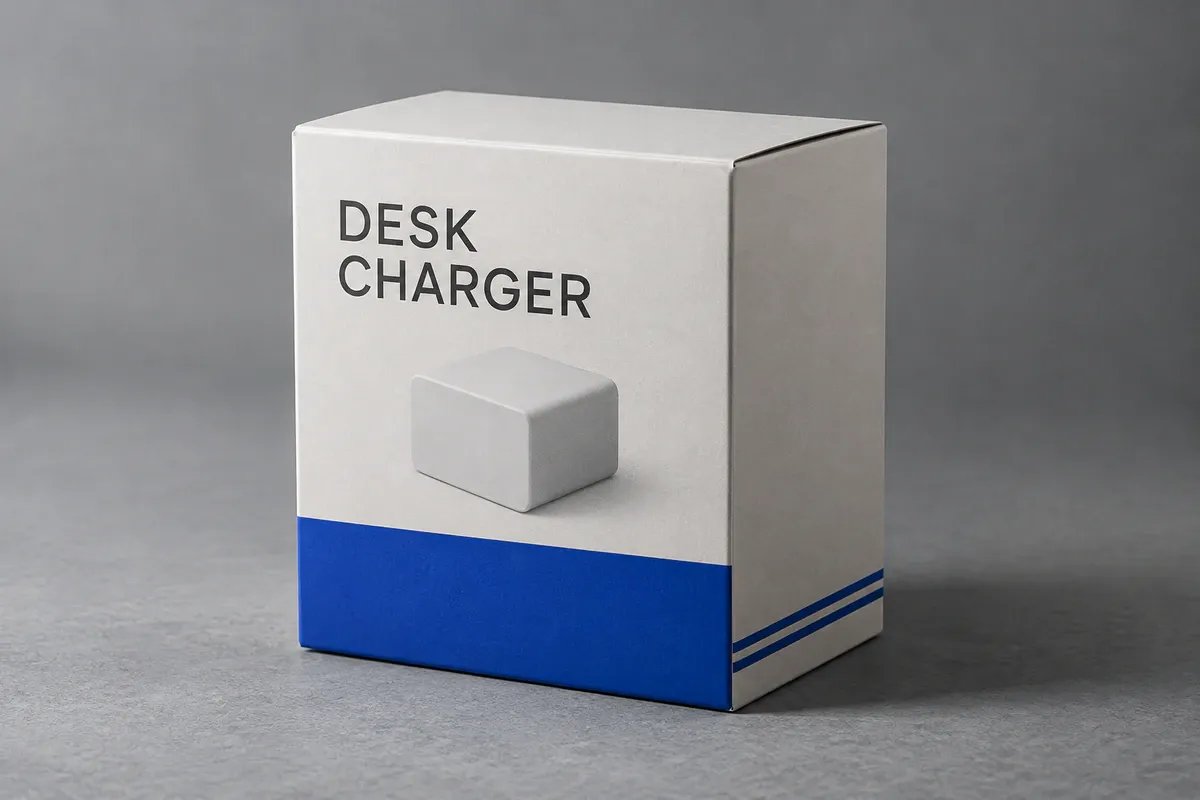
Electronics carton with a product title and simplified placeholder shape, without invented specifications
That shape is a placeholder. Replace it with a photograph or accurate drawing of the real product once the direction is chosen. If a generated barcode or certification symbol appears, remove it rather than keep it because the package looks more complete.
8. Two-piece gift box: fix the contents and compartment count
Item counts matter in gift-box concepts. Specify exactly what goes inside and how many of each item, then ask for an insert arranged around those contents.
Create a refined overhead packaging photograph of one open rectangular botanical soap gift box with its separate lid placed behind it. The box contains exactly two rectangular soap bars in two separate snug compartments, each bar wrapped in cream paper with a simple dark-green leaf drawing and no words. A straight central divider separates the compartments. Use a muted forest-green exterior and a pale cream paperboard insert with realistic folds. The lid carries only the title “BOTANICAL SET” in cream lettering. Both bars must sit fully inside their own compartments, with no overlap and no extra products. Place everything on a light warm-stone surface, full-bleed background, with soft natural shadows. No flowers, loose leaves, ribbons, fillers or hands. Wide 16:9 composition with the full box and lid visible.
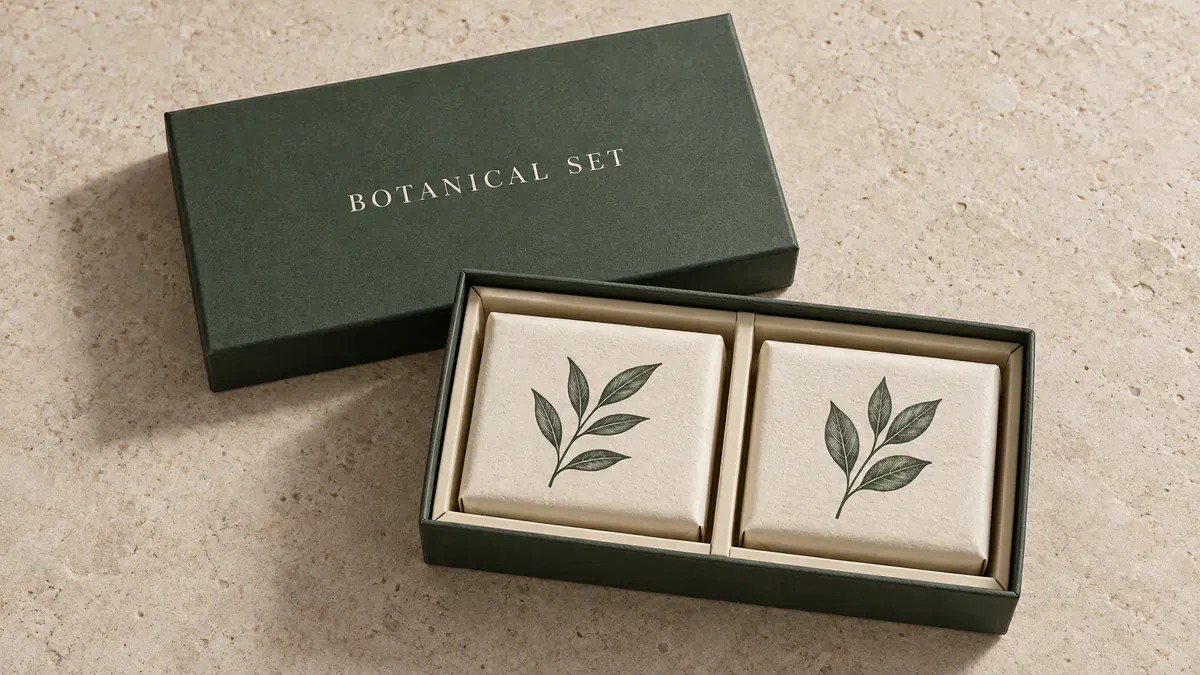
Two wrapped soaps in separate compartments, with a central divider and a detached lid behind the box
Count the contents: two products and two compartments, no extras. The image cannot verify the actual fit of the insert. A supplier will also need the real dimensions of each item to make a sample.
5. What to hand over after choosing a packaging concept
Keep the selected image and write a precise revision note. For example: “Keep the ivory and orange areas on the coffee pouch. Make the blue circle smaller and move the product name lower.” Focus each revision on one issue so the change is easy to compare.
A designer or supplier needs more than the picture to take the concept further.
Material | What it needs to explain |
|---|---|
Selected concept image | Which colors, illustrations and placements should stay, and which elements are placeholders |
Product and dimensions | What the package holds, how many items, their dimensions and any existing container specifications |
Supplier dieline | The flat template marking cut and fold positions, matched to the actual package type and size |
Approved copy and graphics | Original brand artwork, accurate product information and confirmed barcodes, ingredients or other necessary marks |
Materials and sample requirements | Paper or container samples, intended colors and finishes, and details that need a physical check |
A dieline cannot be made simply by flattening a perspective image. Packhelp's design process, for example, starts with a product and size selection before supplying the matching flat template. The designer then places artwork on the actual dieline and handles folds, cuts and bleed—the artwork extending beyond the cut line. A physical sample is needed to check assembly, color and legibility.
6. Frequently Asked Questions
1. How do I add my own logo to an AI packaging concept?
Provide clear original logo artwork or a reference image. Specify its panel and approximate size, and ask to preserve the mark and letterforms. Compare the result against the original; a similar redraw is not an exact reproduction. Use the original logo file in the final layout rather than cropping a soft version from the mockup.
2. Can these English prompts create packaging with Chinese text?
Yes. Replace the quoted display text with the Chinese wording you need and specify that only those characters should appear. Keep the container and composition instructions. Start with a short product name and check every character. Longer content, such as ingredients and instructions, should be added as editable text in the final design file.
3. Can I put a packaging concept on a product detail page?
When presenting an unfinished design, label it clearly as a concept rather than the packaging customers will receive. On a sales page, the shape, quantity, color and wording should match the actual product. Once the packaging is finalized, use a real sample as the basis for product visuals to avoid misleading customers about the delivery.
7. Reference

AI Image Tool Built for E-commerce Teams
For new product launches, advertising, and promotional campaigns, use AI to generate product images, scene visuals, ad creatives, and short video assets — making content production faster.