How do you choose an AI anime image generator? Use PixPix and select a model based on your creative task.
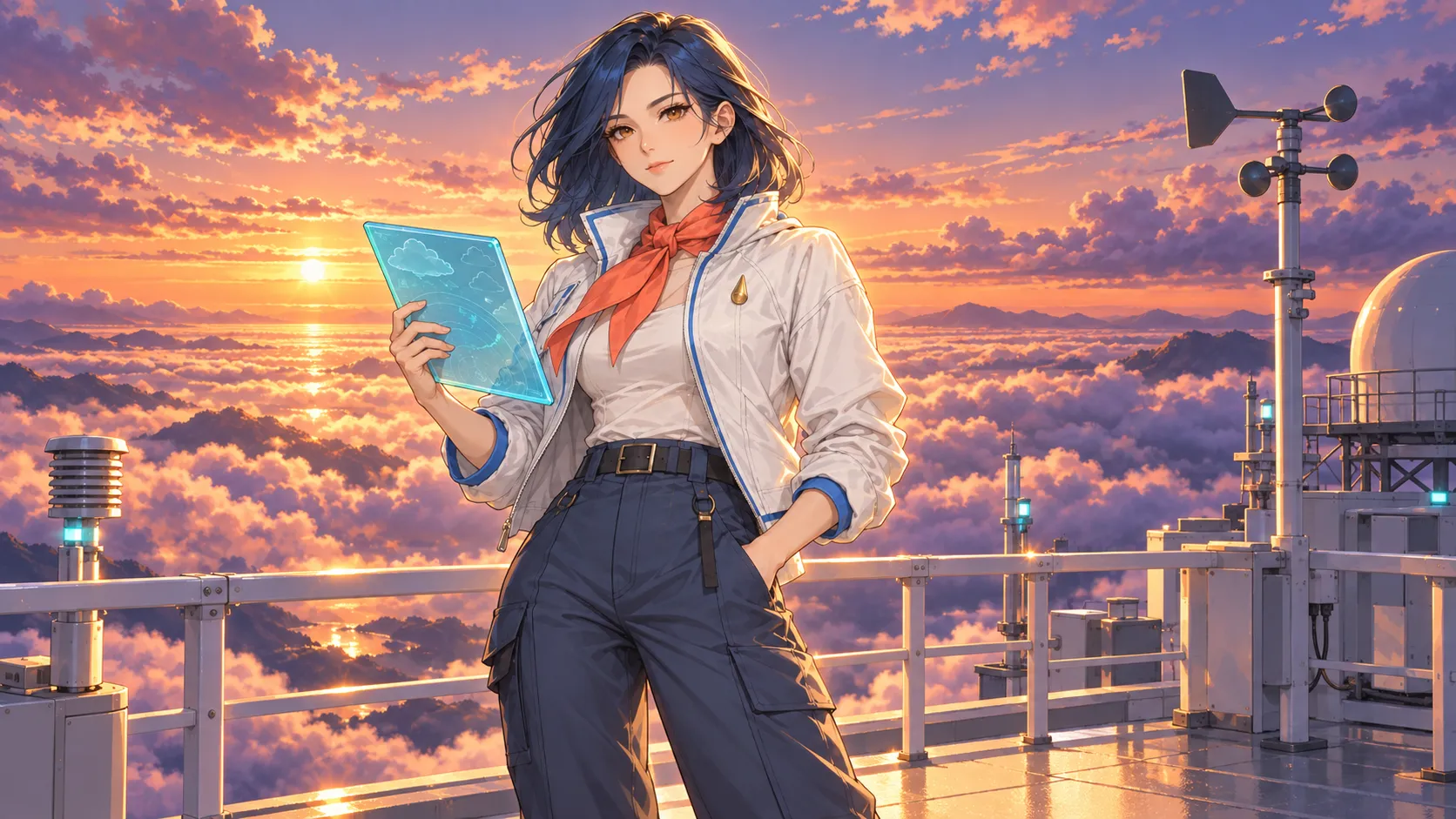
When choosing an AI anime image generator, it’s easy to get swayed by the question “which one produces the best results.” A single main visual, a series of character illustrations, multi-view concept art, and promotional cards with text all require different capabilities; a single sample that looks good doesn’t necessarily mean it’s suitable for completing an entire project.
Based on PixPix’s currently available models and features, this article establishes a method for selecting anime image-generation models according to specific tasks, and uses an original character example to demonstrate how to control testing conditions, ensure character consistency, and minimize rework. This article does not present unexecuted generation processes as measured rankings; specific models, settings, and available interfaces should be referenced against PixPix’s current interface.
Quick conclusion: prioritize the task first, then consider the model.
As of the time this article was compiled, PixPix’s official website showcases image models such as Midjourney Niji 7, GPT Image 2, Seedream 5.0 Pro, and Qwen Image 3.0 Pro. These models can be prioritized based on their suitability for specific tasks as follows:
Primary Tasks | Can be tried first | Reasons for Selection |
|---|---|---|
Single anime main visual, cover, or wallpaper | Midjourney Niji 7 | Officially positioned directly toward anime and Eastern-style illustration, emphasizing line art, composition, and cinematic scenes |
Reference image expansion, series marketing visuals, and multi-size content | GPT Image 2 | Supports starting from text or reference images; the official page emphasizes characters, roles, and series content expansion |
Complex character design charts, meticulous compositions, and reference image modifications | Seedream 5.0 Pro | Officially positioned to address complex needs, structured information, reference-image workflows, and fine-tuning |
Long, structured instructions, textual layouts, and multi-element visuals | Qwen Image 3.0 Pro | The official page highlights long instructions, dense formatting, multilingual text, and reference-image editing |
This is not a quality ranking but rather task-matching recommendations. When making a real selection, you should conduct small-scale tests using the same original character, the same base prompt, identical aspect ratios, and the same number of generated images, then compare the fifth image, the second scene, and the first localized adjustment—rather than simply comparing each model’s most visually appealing showcase image.
“Best” encompasses at least five dimensions.
Completion level for a single image
Examine whether the composition, lines, colors, poses, and overall atmosphere of the first round of results already closely align with your goals. Single-image completion is crucial for covers, wallpapers, and concept posters, but it isn’t the sole metric for series projects.
Character consistency
After having the same character depicted from different angles, expressions, actions, and settings, verify whether facial shape, hairstyle, eyes, clothing structure, and signature accessories remain consistent. Comic panels, visual novels, character accounts, and series promotional materials rely heavily on this factor.
Instruction execution
Can the model simultaneously understand characters, actions, camera shots, scenes, lighting, and the number of objects? When an instruction includes multiple constraints, omitting a key prop may have a greater impact on delivery than simply lacking visual polish.
Text and Layout
If an image requires a title, character cards, tags, or informational modules, their spelling, hierarchy, placement, and whitespace should be checked separately. Do not automatically assume that a pure illustration model’s strengths in character rendering also translate into strong typographic capabilities.
Modification Costs
When hands, eyes, or accessories are incorrect, can reference images or localized edits salvage the parts that already work? A result that requires repeatedly redrawing the entire piece—even if the first version was stunning—may still not fit within the production workflow.
How to Understand PixPix’s Four Current Model Categories
Midjourney Niji 7: Primarily Used for Anime‑Style Main Visuals
PixPix’s Midjourney Niji 7 pagepositions it as an image model focused on anime and Eastern aesthetics. The current page showcases directions such as starting from text or reference images, producing crisp line art, depicting characters and intricate scenes, crafting cinematic lighting, and building cohesive worldviews.
Tasks best suited for initial experimentation include:
Anime character covers and key visuals;
Scenes requiring distinct atmospheric lighting and spatial depth;
Complete compositions featuring characters, vehicles, and architecture all at once;
Single high‑quality illustrations during the style exploration phase.
If your project involves long‑term serialization, don’t just save the final main visual. Also lock in character descriptions, color palettes, props, and reference images, and separately test how stable the characters remain when viewed from different angles.
GPT Image 2: Primarily Used for Reference Image Expansion and Content Adaptation
PixPix’s GPT Image 2 pagecurrently explains that it can generate images using either text or reference photos, covering roles, anime art, typographic design, and series content across various sizes.
Tasks best suited for initial experimentation include:
Continuing to modify existing character artwork—changing poses, outfits, or backgrounds;
Expanding a single character concept into banners, vertical posters, and square social media graphics;
Compositions where characters must coexist with titles, labels, or short captions;
Marketing materials that still require further editing after generation.
When working with reference images, clearly separate what needs to change from what must remain unchanged. Simply stating “create a new poster” leaves the model unclear about which character traits constitute hard constraints.
Seedream 5.0 Pro: Primarily Used for Complex Character Profiles and Fine‑Tuning
PixPix’s Seedream 5.0 Pro pagecurrently emphasizes complex requirements, structured information, realistic lighting and shadows, reference‑image workflows, and meticulous editing. The official website example also features character design sheets complete with facial expressions and equipment breakdowns.
Tasks best suited for initial experimentation include:
Character design tables showing front, side, back views along with equipment disassembly;
Complex compositions involving numerous characters, props, environments, and informational modules;
Reference image modifications aimed at preserving specific character identities, poses, or compositions;
A production visual that demands high precision in handwork, materials, edges, and local relationships.
If you only need to quickly explore a simple anime avatar, a complex model may not necessarily save time. First determine whether the task truly requires structural design, layout, or multi-element reasoning.
Qwen Image 3.0 Pro: Primarily used for long instructions and text layouts
PixPix’s Qwen Image 3.0 Pro pageCurrently positioned as a model tailored for lengthy structured requirements, dense typography, multilingual text, realistic details, and reference image editing.
Tasks best suited for initial experimentation include:
Simultaneously includes character cards featuring roles, titles, descriptions, and multiple objects;
Posters, information pages, and graphic layouts requiring a clear reading order;
Continuing identity, color palettes, clothing, and compositional rules through reference images;
Images with lengthy instructions that require item-by-item verification of quantity, placement, and text.
Text on anime posters should still be manually proofread. While the model can assist with layout direction, each character, label, and small-sized piece of information must be checked before publication.
Establish a unified test using an original character
This article introduces an imaginary adult anime character named “Ling Lan,” whose profession is an observer at a cloud-based meteorological station. She has dark blue shoulder-length hair, amber-colored eyes, and a slightly round face shape. She wears an ivory-white flight jacket with cobalt-blue trim along the collar and cuffs, a coral-orange scarf around her neck, a brass raindrop brooch pinned to her left chest, and holds a translucent cyan weather map board in her right hand.
The scene is set on a rooftop meteorological station at sunset: in the distance lies an orange-purple sea of clouds, while nearby there is a minimalist wind vane, white guardrails, and a few blue data lights. The image does not feature any brand logos, text, other characters, or iconic elements from existing anime works.
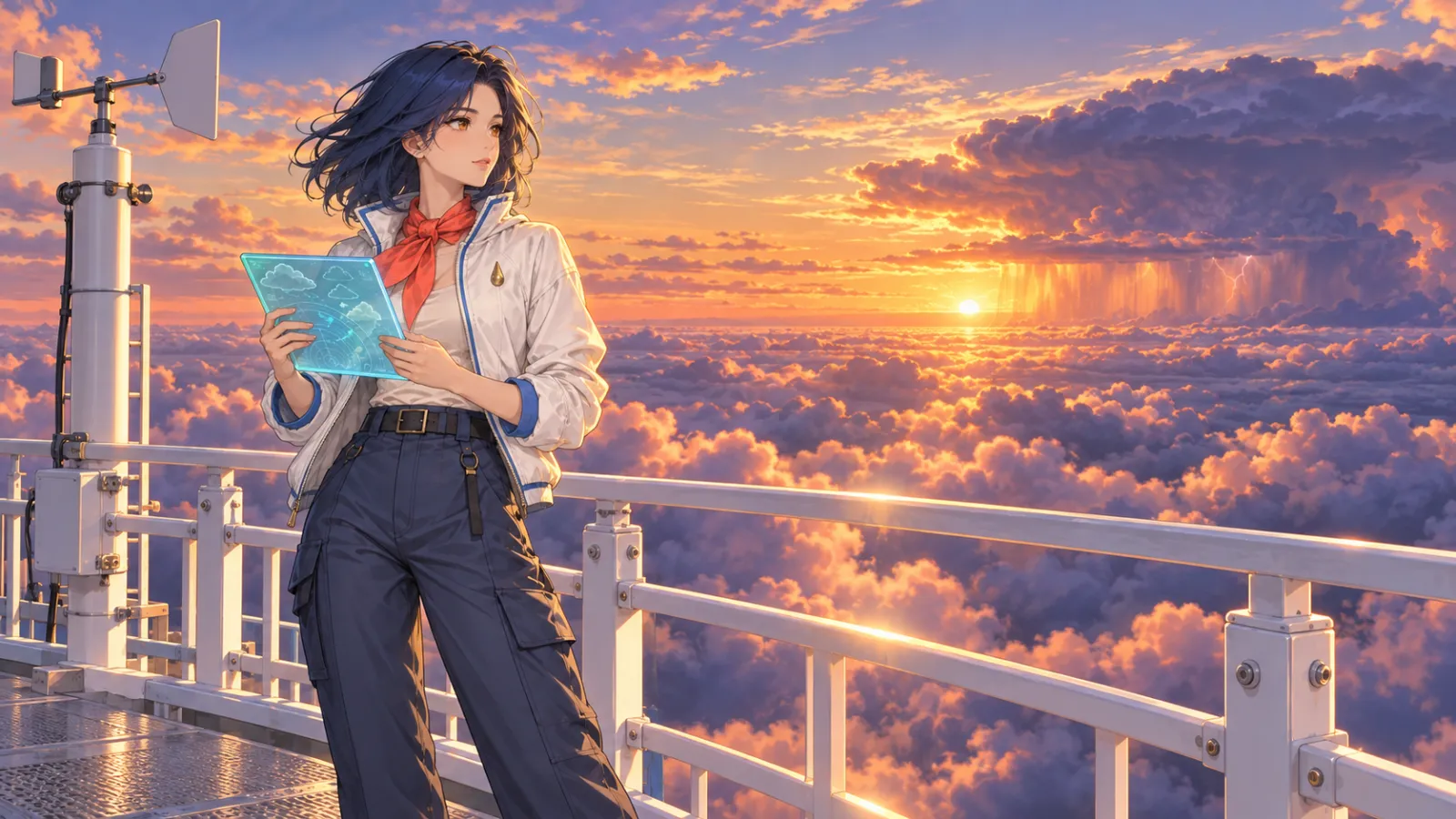
Caption: Begin by establishing the main visual through clear character anchors and a single setting, then test variations in angle, aspect ratio, and localized modifications. The accompanying image is an original instructional visual and does not represent actual results from any specific PixPix model.
Fixed identity anchor points
Each test must repeat the following:
Dark blue shoulder-length hair with the same parting;
Amber-colored eyes, a slightly round face shape, and a calm expression;
Ivory-white flight jacket with cobalt-blue trim;
Coral-orange scarf and a brass raindrop brooch;
Translucent cyan weather map board;
Proportions and temperament of an adult character.
Only the camera angle, actions, background details, and rendering direction are allowed to vary. This approach helps distinguish between differences caused by "model style" and those resulting from changes in prompt wording.
How one basic prompt can cover four types of tasks
First write a baseline version without any model preferences.
General test prompt
An original adult anime character named “Aya Ran” stands atop a high-rise rooftop weather station at sunset. She has dark blue, shoulder-length hair with the same side-parted style, amber-colored eyes, and a slightly round face, her expression calm yet focused. She wears an ivory-white flight jacket with cobalt-blue trim on the collar and cuffs, a coral-orange scarf, a brass raindrop brooch on her left chest, and holds a translucent cyan weather map board in her right hand. The shot is medium-range, taken from a slightly low angle, with an orange-purple sea of clouds as the backdrop. White guardrails and a simple wind vane create spatial depth, while soft golden rim lighting highlights clear anime line art against restrained cel‑style coloring. The figure is complete, with clearly visible hands; no text, logos, other characters, superfluous limbs, or protected character traits appear.
This prompt is an original test template created for this article, not based on any reference materials or models’ original prompts, nor does it represent results obtained from testing four models.
Add one more variable according to the deliverables.
When testing a single main visual, only add the frame size and visual focal point; when testing a character design sheet, include only front, side, back views, along with equipment sections; when testing text cards, provide only precise text, placement, and layout. Do not simultaneously modify character costumes, color palettes, or scenes, otherwise it will be impossible to determine where model differences originate.
How to conduct a reliable model comparison
Keep input conditions consistent.
At least fix the following conditions:
Use the same base prompt;
Use the same character reference image;
Use the same frame size and similar output dimensions;
Each model generates the same number of candidate images;
Do not compare a model’s promotional highlight image with another model’s first result;
Record the number of times each partial revision and full rework occurs.
Check using the same scoring rubric.
You may assign scores from 1 to 5, but these scores must reflect actual generated results:
Scoring criteria | Content to observe |
|---|---|
Consistency of identity | Whether facial features, hairstyle, eyes, scarf, and brooch remain stable |
Movements and composition | Whether camera angles, gestures, weather maps, and spatial relationships align with the instructions |
Anime presentation | Whether line art, cel‑style layers, expressions, and scene atmosphere are unified |
Text and layout | Whether spelling, hierarchy, positioning, and legibility at small sizes pass inspection |
Cost of local revisions | Does modifying the hands, eyes, or accessories damage other areas? |
Series consistency | Do the second scene and third action still feel like the same character? |
Don’t assign scores first and then look for reasons. If there’s no actual testing, keep only the verification method and don’t publish a ranking.
Character consistency is more important than the first image.
First, establish the character master template.
Before finalizing the model, obtain a clean front-facing or three-quarter view of the character, ensuring that hairstyle, eyes, clothing, and props are clearly visible. This will serve as a reference for subsequent actions, camera angles, and scenes.
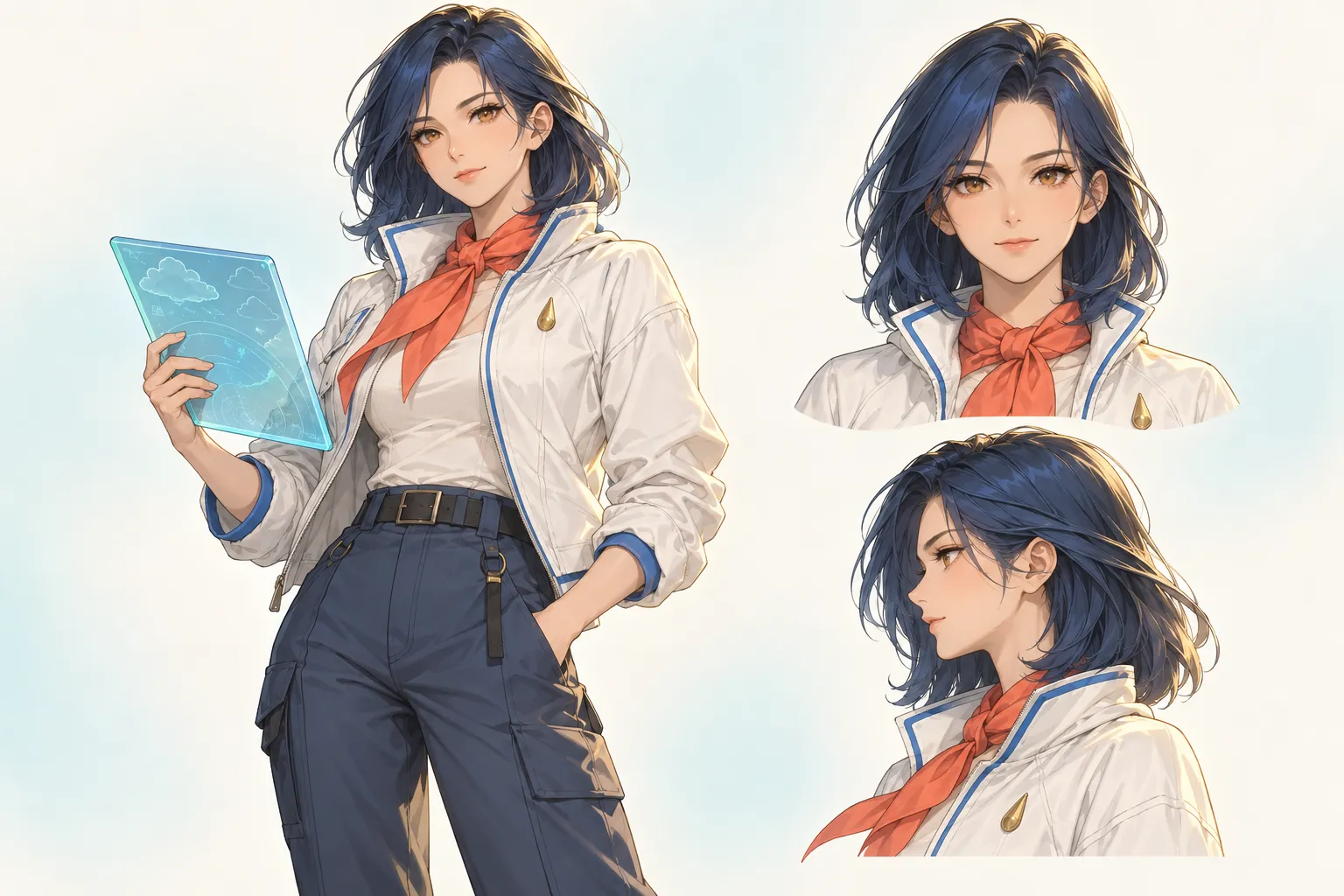
Caption: The character master template should clearly show facial shape, hairstyle, clothing structure, and signature accessories; all subsequent images should be developed around these identity anchors.
Then create multi-angle settings.
Place front, side, back, and three-quarter views on the same setting sheet, keeping the clothing structure and prop positions consistent. After generating, don’t just check the face—also verify jacket cuffs, scarf knots, brooch placement, and weather board shapes.
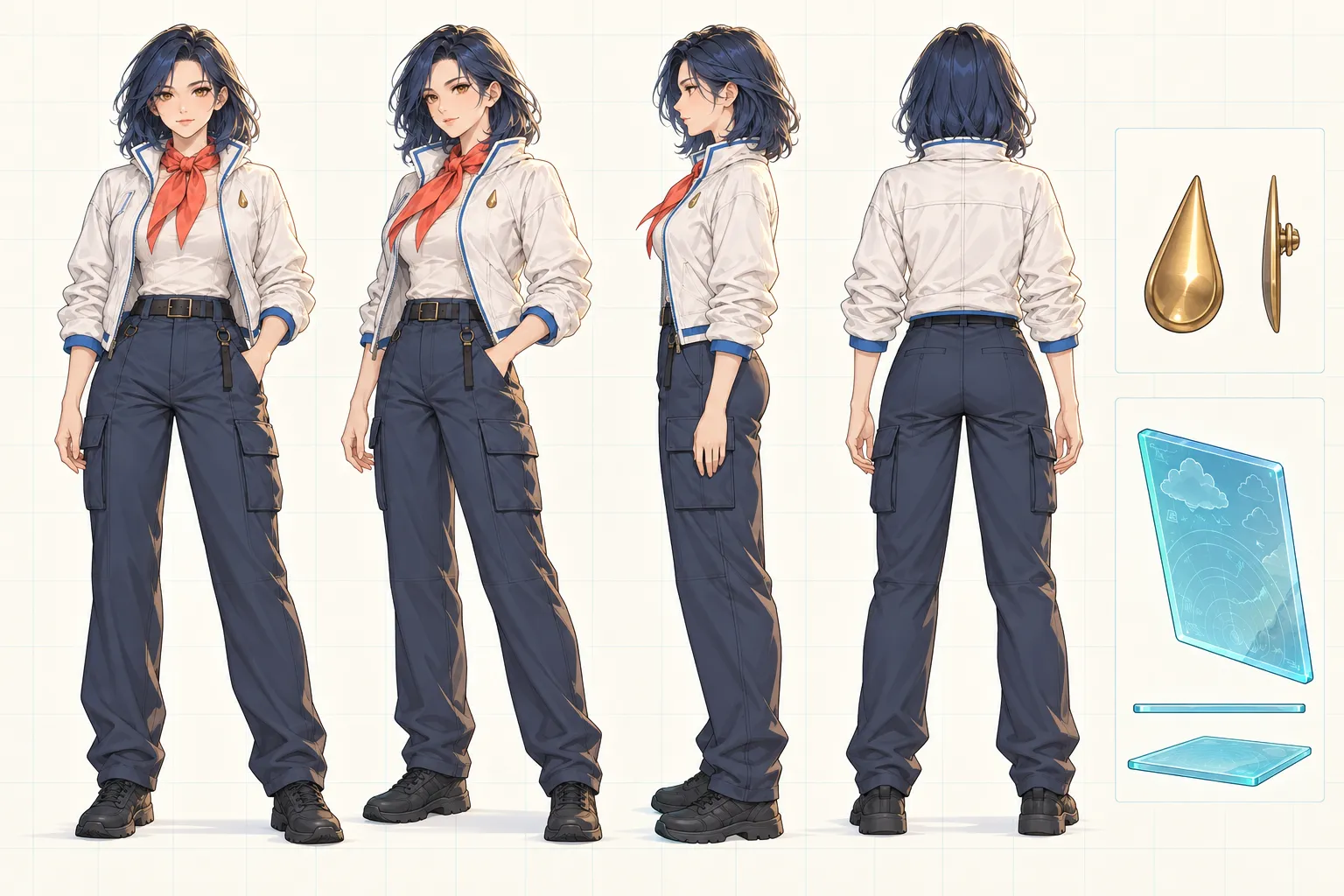
Caption: The multi-angle setting sheet is used to ensure that hairstyle length, jacket cuffs, scarf knots, brooch placement, and weather board shapes remain consistent across changing perspectives.
Fix a specific character description.
Write the identity anchors as fixed modules that don’t change with different scenes. New prompts should only add actions, camera angles, and environments, avoiding re-describing the same character each time with different adjectives.
Handle local issues locally.
PixPix’s current official website showcases natural language–based image editing and localized retouching capabilities. When a hand, an eye, or a brooch goes wrong while the character and composition are already established, prioritize fixing only the problematic area to avoid regenerating the entire image and causing further identity drift.
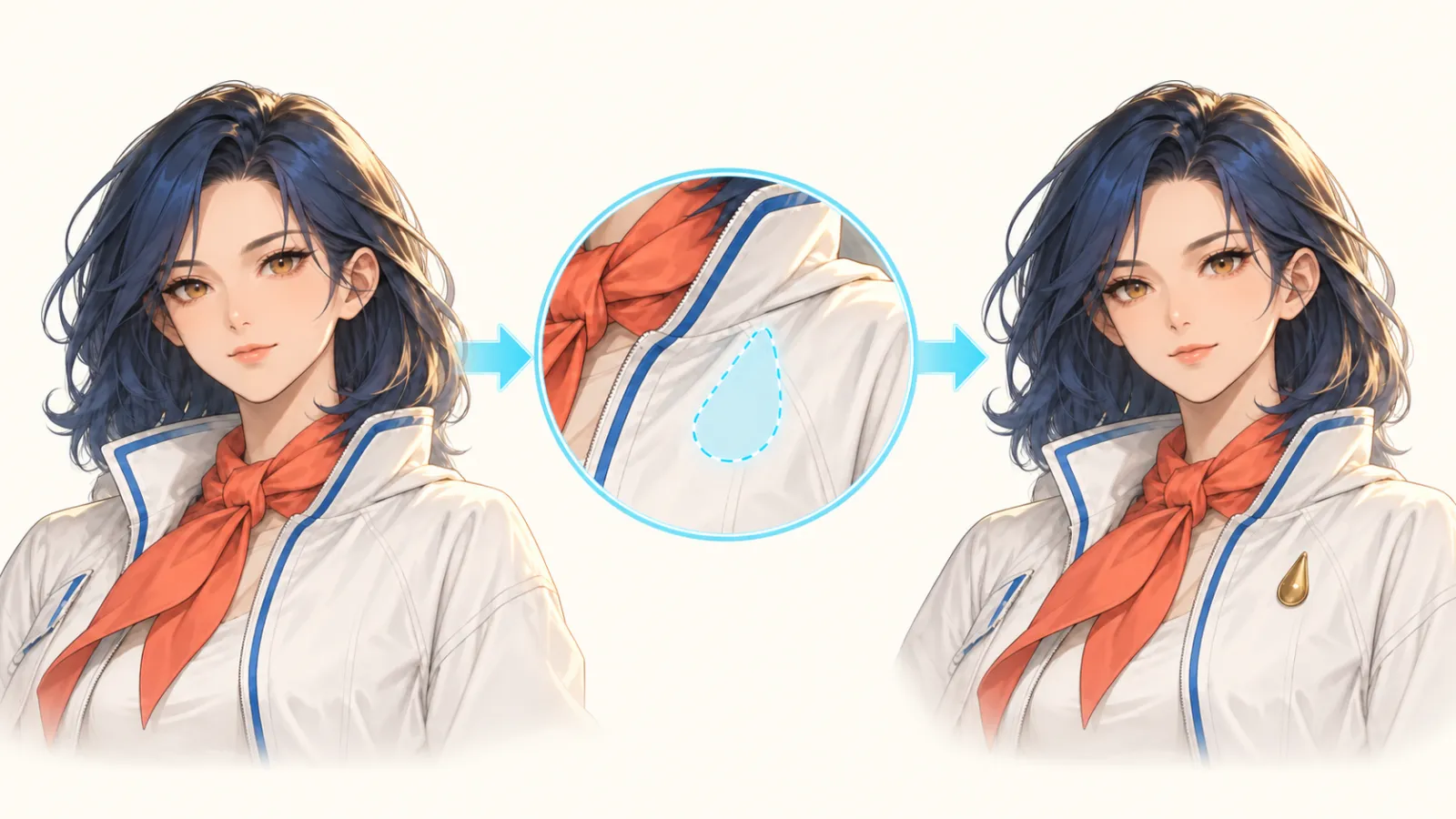
Caption: Keep the established character on the left, select only the brooch area in the center, and restore the correct accessory on the right; the goal of localized modifications is to minimize unintended drift in unrelated areas.
Common selection mistakes.
Only look at the best works displayed on the model’s showcase page.
Showcase pages can help gauge stylistic limits, but they cannot replace your own character testing. At least test one frontal character, one action scene, and one localized correction to evaluate your real workflow.
Use different prompts for each model.
Writing a detailed character description for one model and just a single sentence for another makes comparisons meaningless. Necessary differences in model syntax can be noted, but the character and scene content must remain consistent.
Group style terms together.
“Celluloid, impasto, watercolor, 3D, film grain, realistic photography” will compete for visual dominance. First decide on a primary visual language, then supplement it with line art, coloring, lighting, and textures.
Treat fan-made characters as universal test subjects.
Pre-existing characters can make models overly reliant on training memory and may also pose risks during public release and commercial use. Using original characters for testing makes it easier to determine whether the model truly enforces constraints on hairstyles, clothing, and props.
Compare only the first image, not the series.
For long-term projects, the second angle, third set of actions, and initial corrections often provide far more informative insights than the first main visual. Character drift typically emerges only after changes in scene context.
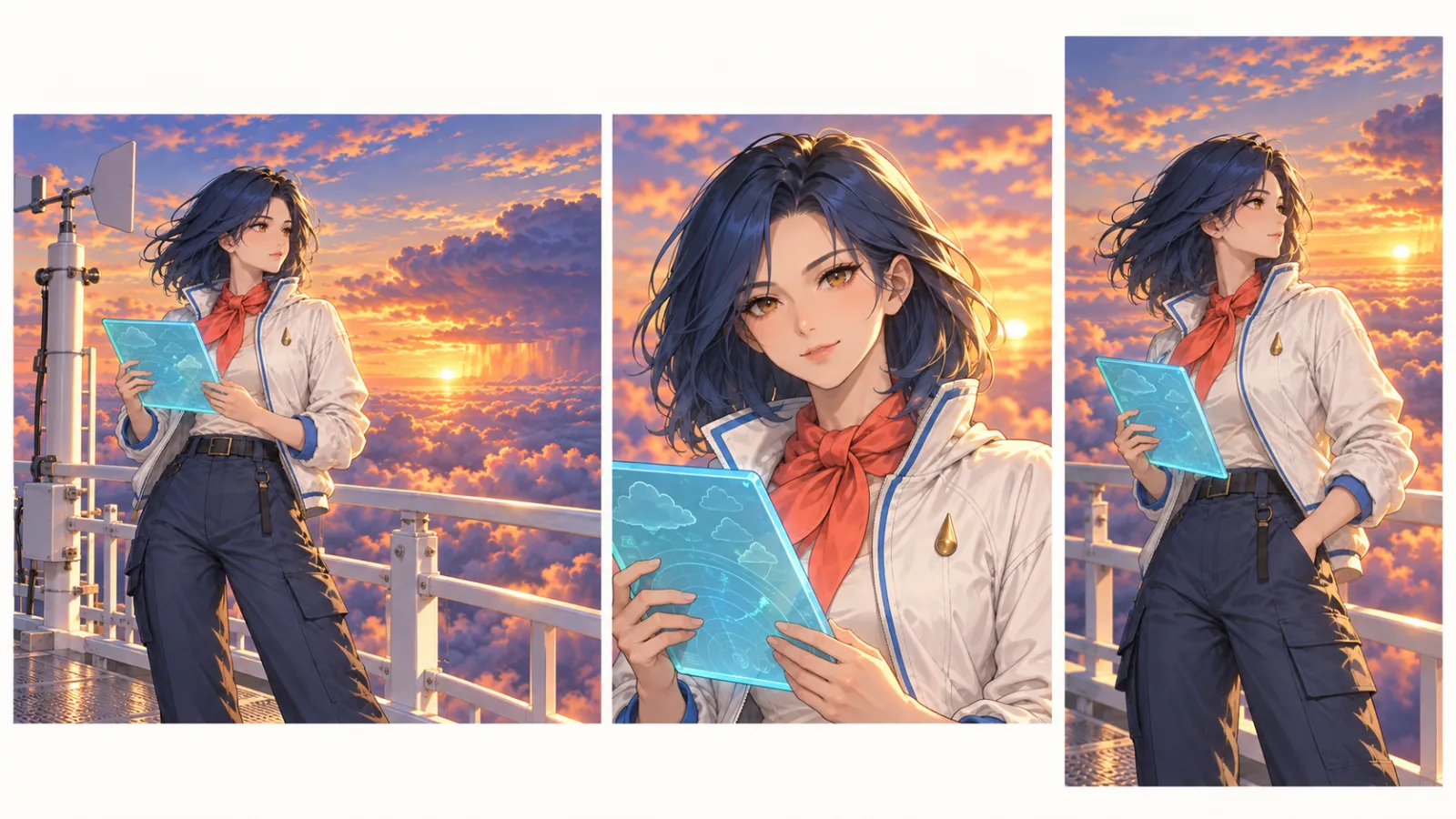
Caption: Landscape, square, and portrait formats can alter camera angles and compositions, but the character’s face, hairstyle, clothing, scarf, brooch, and weather board should remain stable.
Common issues.
Which model in PixPix is best suited for anime?
If the task clearly involves a single anime‑style main visual, you can start by trying Midjourney Niji 7, which is officially optimized for anime and Eastern‑style illustrations. If the task relies more on reference‑image expansion, long prompts, text layout, or complex character details, then test GPT Image 2, Seedream 5.0 Pro, or Qwen Image 3.0 Pro according to their respective capabilities.
Can general‑purpose models create anime‑style images?
Yes, they can. General‑purpose models may better meet specific delivery requirements when it comes to editing reference images, working with text, designing marketing layouts, or adapting to multiple sizes. The key isn’t whether the model specializes in anime; it’s whether it can satisfy the hard constraints of your current task.
Should I test all models at once?
No, that’s unnecessary. First narrow down your options to two candidates based on the deliverables, then conduct small‑scale comparisons using the same character. If you only need a single cover image, prioritize testing the model’s main visual capabilities; if you’re creating a series of content, be sure to also test different angles and localized refinements.
Are the article’s conclusions still valid after a model update?
While specific model versions and access points may change, the approach of “selecting based on the task, controlling test variables, ensuring character consistency, and tracking modification costs” remains applicable. Before use, re‑check PixPix’s current model page and workbench.
Can I directly generate well‑known anime characters?
If your work will be publicly released or used commercially, avoid copying protected characters’ names, designs, costumes, or iconic elements. This article recommends using original characters, an original worldbuilding framework, and reference materials you have the right to use.
Summary
There is no single “universal champion” among AI anime‑image generators. A more reliable path is:
Clearly define the deliverable → Narrow down to two candidate models → Fix an original character and prompt → Control aspect ratio and number of generated images → Compare identity, composition, text, and modification costs → Validate series consistency with a second scene.
When starting anime creation in PixPix, first choose Niji 7, GPT Image 2, Seedream 5.0 Pro, or Qwen Image 3.0 Pro based on your task, then replace them with your own original character using the “Linglan” testing method described here. Ultimately, your final choice should come from tests under identical conditions, rather than being determined by the model name or a single sample image.

AI Image Tool Built for E-commerce Teams
For new product launches, advertising, and promotional campaigns, use AI to generate product images, scene visuals, ad creatives, and short video assets — making content production faster.