Common Mistakes in AI Video Prompts: Six Categories of Troubleshooting and PixPix Adjustment Methods
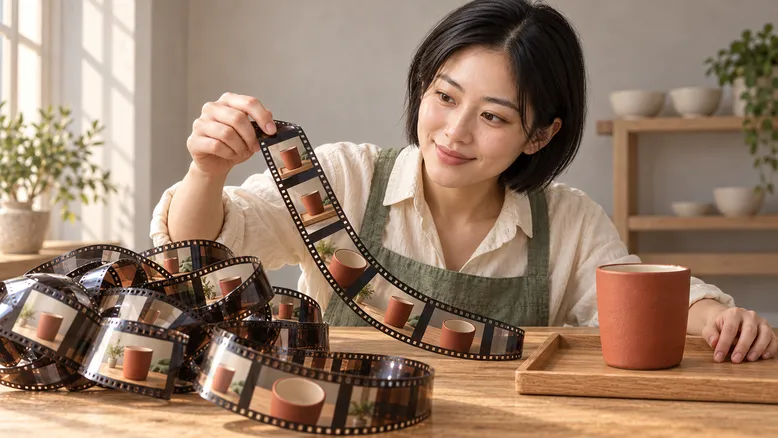
The AI video prompt is written very long, yet the face still gets swapped, the cup deforms in the hand, and a single intended action ends up being captured as several disjointed shots. When encountering these issues, simply piling on more descriptors like “cinematic feel,” “ultra‑clear,” or “best image quality” may not address the real underlying problems.
A more useful starting point is to break down your requirements into three questions: What is the state of the scene at the beginning? What only happens during this time? And how do you define a satisfactory ending? This tutorial uses an original example—“a potter places a hand‑crafted cup onto a tray”—to guide you through reviewing your prompts, preparing reference materials, and establishing a traceable revision workflow in PixPix.
This article is a creative methodology tutorial. The characters and settings used in the examples are original fictional creations, with accompanying images serving as static AI‑generated teaching illustrations; no video generation was performed in PixPix, so it does not include measured success rates, model rankings, or guarantees of results.
First, determine which layer the problem lies in.
Don’t attribute every failure solely to “insufficiently detailed prompts.” For instance, if a cup appears distorted, it could be due to a blurry outline in the reference image, excessive occlusion by the hand, or the current model’s difficulty handling that particular contact motion.
The observed deviation | What to check first | Next priority actions |
|---|---|---|
The subject isn’t the same person or cup from the start | Are the reference materials clearly linked and consistent in appearance? | Switch to clear, unified references |
The character is correct, but the motion isn’t | Have you clearly specified the actor, starting point, and endpoint of the action? | Rewrite the action description |
The cup‑placing action works fine, but the scene suddenly cuts to another shot | Does the prompt mix multiple camera angles or time periods? | Simplify it into a single continuous shot |
The hand and cup appear fused together | Consider the grip area, potential occlusions, and the complexity of the motion | Reduce the motion and minimize hand‑to‑hand transitions |
Even after multiple generations, the same flaw persists | Is the model, input mode, and task properly matched? | Try other available modes or alter the shooting technique |
This table outlines the troubleshooting sequence, not a diagnosis of the root cause of defects. First identify the issue most impacting usability, then decide whether to revise the reference material, adjust the text, or modify the shot design.
Establish a clear initial state for original case studies.
Fix the character first, then add the motion later.
The protagonist of this case is named “Lin He,” a fictional ceramic artist. She has short, straight black hair and wears an off-white cotton shirt with rolled-up sleeves, a sage-green cross‑strapped apron, and dark gray trousers, with no jewelry. Throughout the entire video, only she appears.
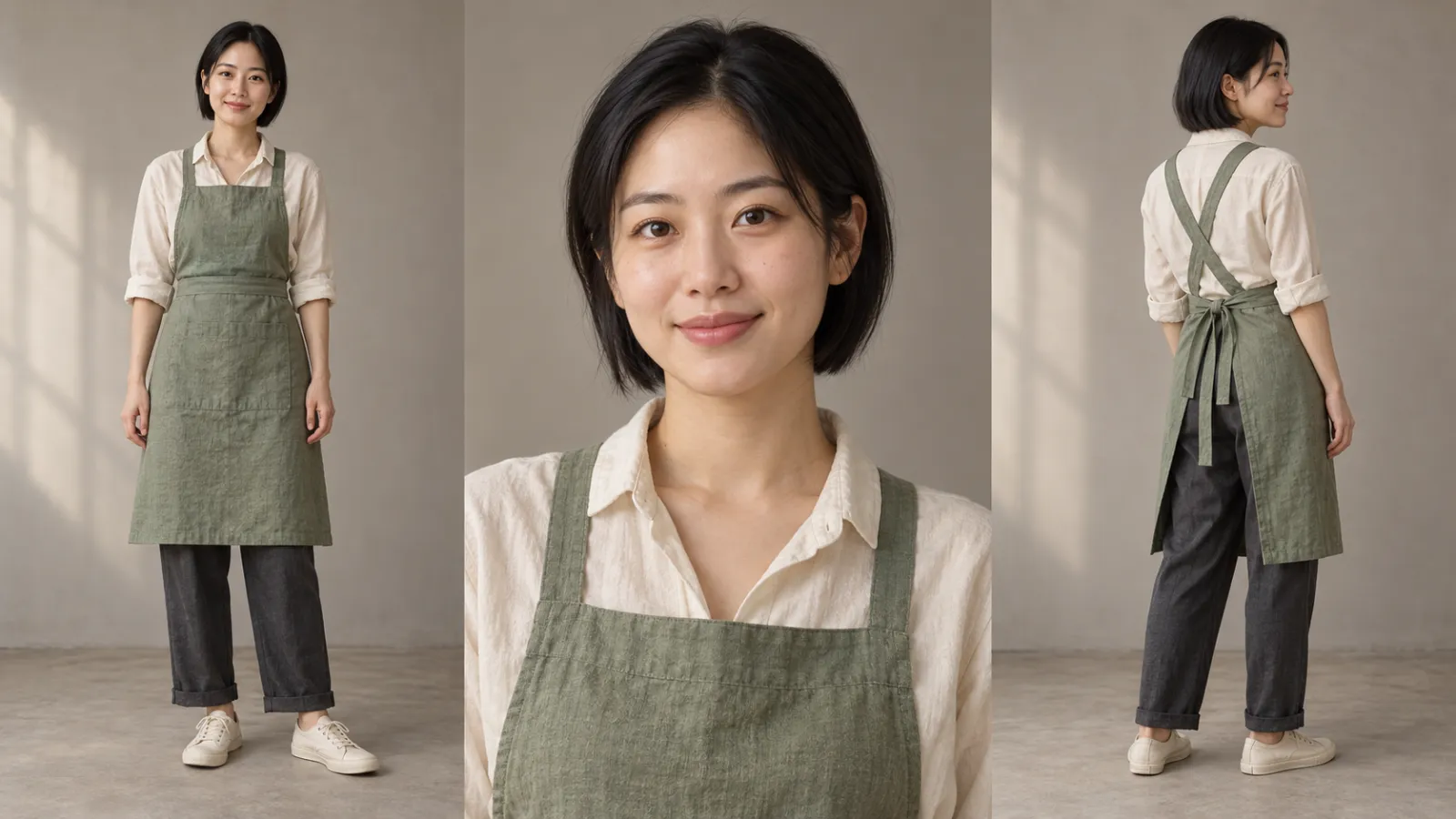
Caption: Illustration of character design; multi-view boards do not imply that multiple figures should simultaneously serve as the video’s main subject.
Character references should answer two questions: who is the face, and what does the clothing look like? Multi‑view concept art can help organize identity, but during actual uploads, clear single images or separate referenced materials should be used according to the model’s requirements, avoiding interpretations that multiple figure areas represent multiple people.
Props must also have a unique identity.
In this case, only one handleless ceramic cup is used: its exterior is ochre red, the interior is off-white, the rim is slightly thick, and the surface has a matte finish. It is placed at the center of a light‑colored rectangular oak tray, which rests flat on the workbench without moving throughout the action.
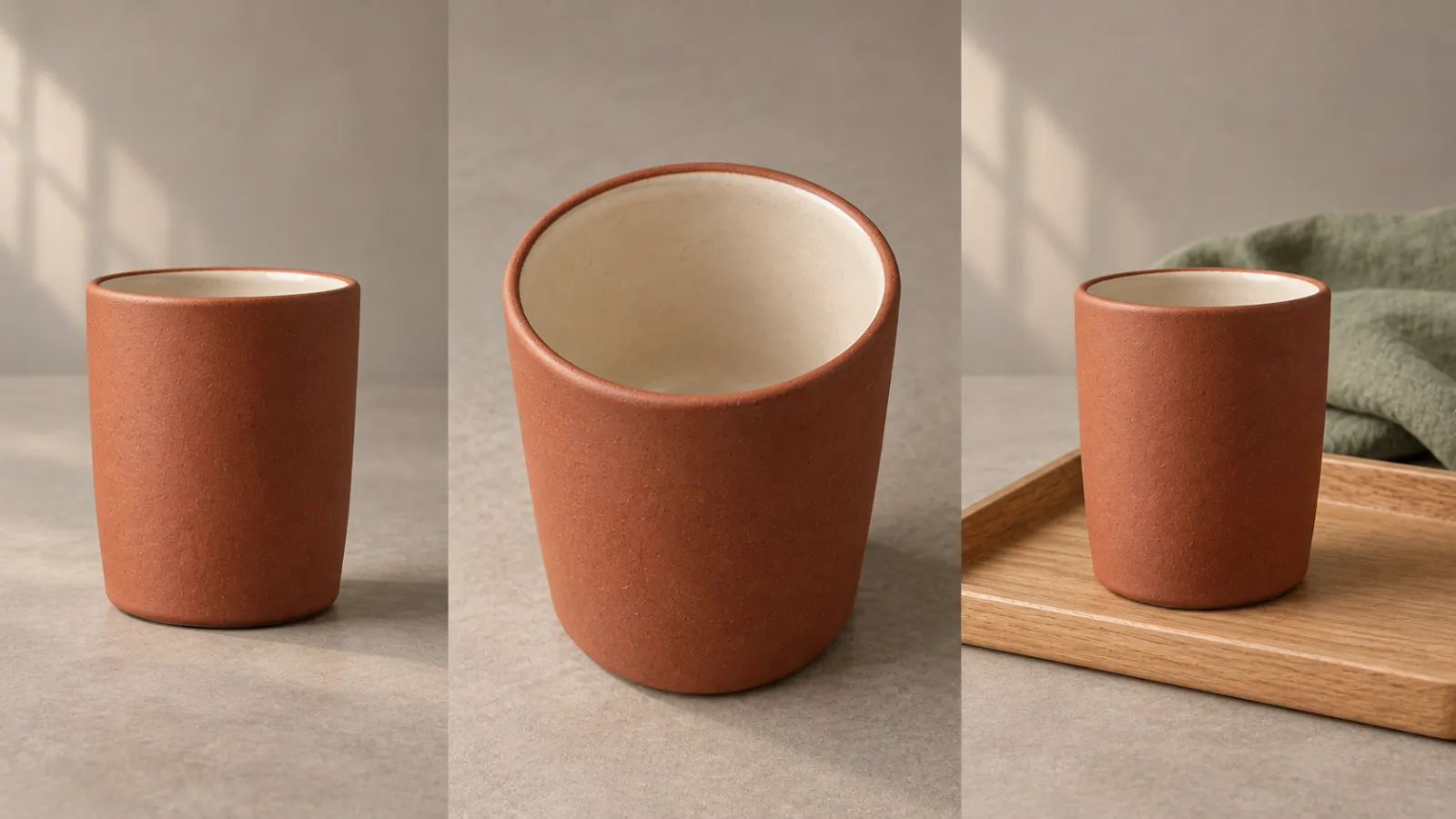
Caption: Schematic illustration of original prop design—not a verification of real product structure.
Do not refer to it first as a “ceramic cup” in one prompt segment, then later have a “mug with a handle” turn toward the camera. If the shape, color, or surface pattern of a real product must be accurate, use verified product photos as reference.
Turn the scene into a position relationship that can be inspected.
The workbench is positioned directly in front of the character; a large window lies outside the camera’s left side; a low wooden shelf stands in the background on the right rear, holding only three off-white ceramic bowls. Natural light streams in from the left, leaving soft shadows on the right.
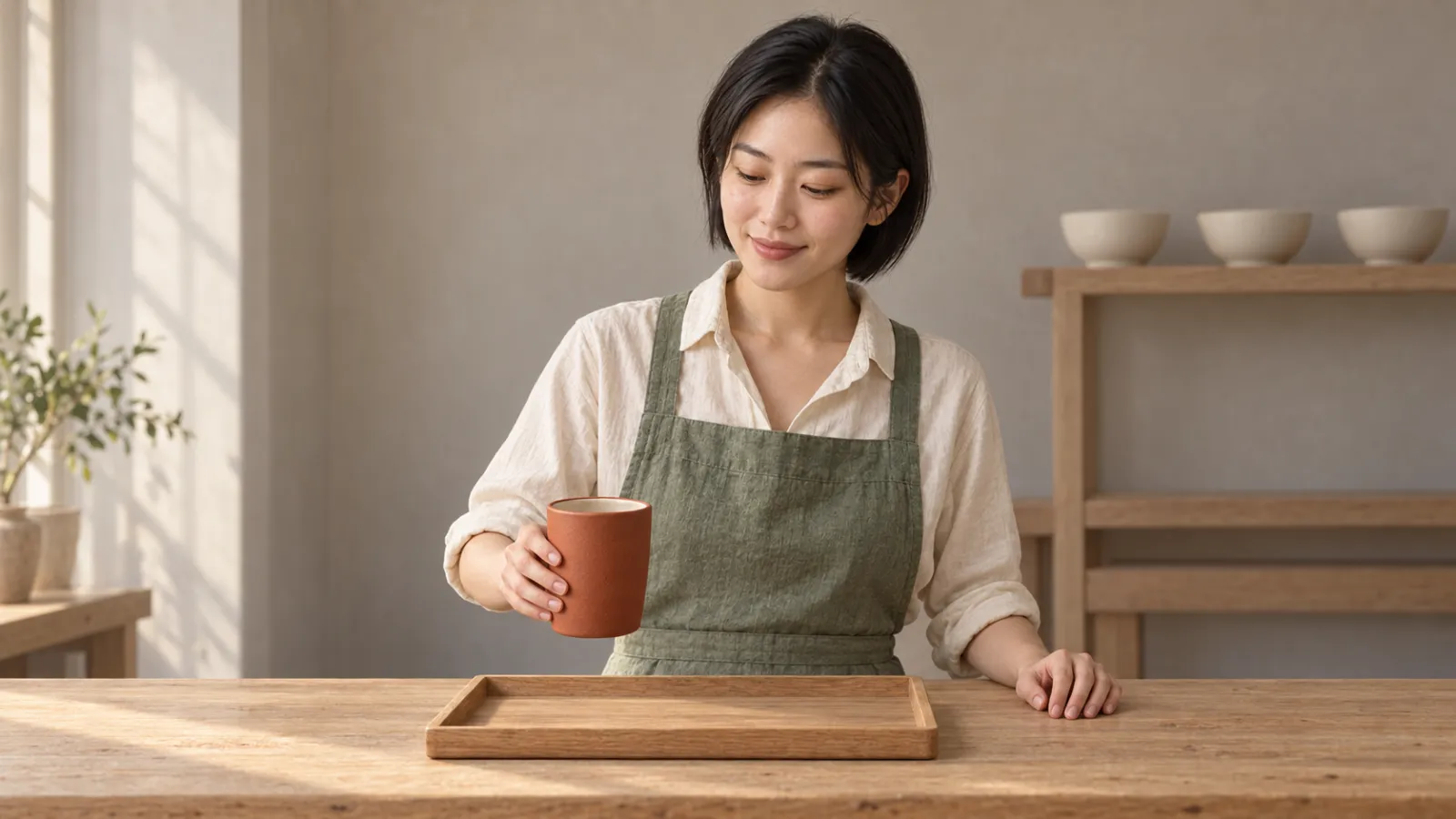
Caption: Initial composition sketch: the cup is held in the hand, while the tray remains empty.
This scene requires no additional decoration. The key is not to describe every item in the studio individually, but rather to clearly identify objects that will participate in the action, affect occlusion, and influence composition.
Six ways to make “putting down the cup” something else entirely.
Only write promotional copy—no visible action.
The following passage conveys aesthetic expectations but does not specify what the camera should capture:
High-end ceramics brand advertisement, brimming with handmade warmth, exquisite texture, cinematic flair, ultra‑clear resolution, and stunning product presentation.
If the goal is simply to put down the cup, you can first simplify the task to:
Lin He places the ochre‑red handleless ceramic cup, held in her right hand, vertically at the center of the wooden tray. After the base touches the tray, she releases her right hand and withdraws it. The camera remains fixed, fully capturing both the cup and the tray.
First let this action happen, then decide whether to add layers of lighting, ambient sound, or more nuanced performance.Style descriptors may remain, but they should not take on the role of describing specific actions.
The opening scene already shows the cup placed, yet still requests “putting it down.”
Suppose the cup in the input image is already firmly resting on the tray, but the prompt still asks, “She puts the cup onto the tray.” In this case, the model must independently infer the process of picking up, moving, and setting it down again.
You can choose one of two paths: prepare an initial image showing the cup held in the hand with an empty tray, and proceed directly to the act of putting it down; or keep the existing image and modify it to read, “Her right hand lightly touches the cup before withdrawing.” The latter alters the original task and should only be adopted when you accept new visual content.
Reference images and action instructions should align seamlessly. How clear the input materials are is just as important as how clear the written instructions are—both deserve careful review.
The same shot simultaneously demands a fixed position, forward movement, and a full 360° pan.
“Fixed camera position, slowly advancing and circling once, finally cutting to a top-down shot” encompasses multiple movements and editing requirements. While suitable for a separately designed multi‑shot sequence, it is not appropriate as the first round of testing for this simple action.
In this case, start by fixing the medium shot to ensure the cup, hands, and tray remain constantly visible. Once the action is successfully executed, try a slight push‑in separately; avoid combining zoom, panning, and overhead shots all within the same round.
“Natural placement” was written, but no handover was described.
Here, the handover refers to the transition of support—from the hand to the tray. The prompt could explicitly state: “Right hand holds the lower half of the cup, with the rim facing upward; after the base touches the tray, fingers release; the cup remains on the tray, and the right hand withdraws.”
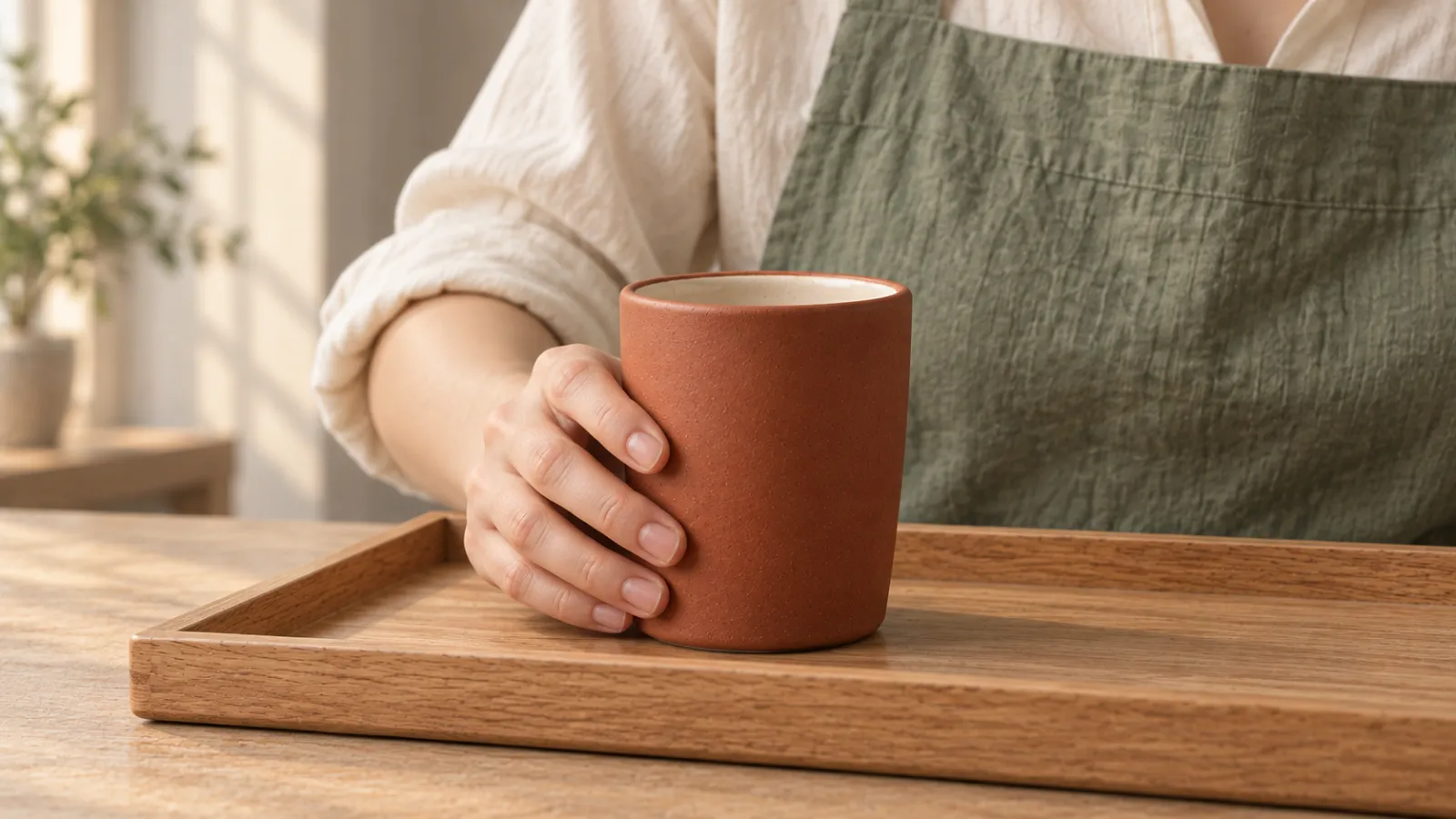
Caption: Illustration of contact states, used to clarify support relationships; does not confirm that the video’s contact action has actually been performed.
There’s no need to encode each joint as a complex mechanical instruction. The key point is who supports the object at each stage, and whether the palm and the cup body remain two independent entities. If multiple attempts fail, you can first shorten the movement distance, or split it into two shots: “close-up of holding the cup” and “after the cup has settled.”
Pack emotions, lighting, and background all into the main action.
“She places the cup with both joy and contemplation, alternating between backlighting and top lighting, while props on the rack spin simultaneously, and the camera swiftly moves through the studio,” adding numerous competing visual elements.
For this shot, the performance could simply retain looking down at the cup and gently exhaling after setting it down. Keep the light coming from the left window, and maintain a static background. First verify the act of placing the cup; other changes should each serve a specific purpose.
Change all conditions at once, then guess which one is effective.
If the previous version featured hand blending, and the next version simultaneously alters the reference image, model, motion, and frame rate—even if the result improves—it will be difficult to determine the cause.
It’s recommended to keep the current version first, then modify only the most relevant factor. For example, if the cup passes through the fingers, first adjust the grip instructions or reduce the movement distance; if the cup’s appearance is incorrect from the very first frame, check the reference image first. Write down the retained elements, modifications, and observed results for each iteration.
Organize case studies into testable prompts ready for direct use.
Below is a starting point for creating videos from images. Character and prop references should first be linked according to the current workflow; “Lin He” is merely the name of this case study and won’t enable the model to recognize her face.
Use the same short-haired ceramic artist referenced earlier, along with the same ochre-red exterior and off-white interior handleless ceramic cup. She wears an off-white shirt with rolled sleeves, a sage-green apron, and dark gray trousers.
The opening scene is a fixed medium shot from eye level: she stands behind a workbench, holding the lower half of the cup with her right hand, the rim facing upward, and the base resting above an empty wooden tray. Her left hand rests on the tabletop beside the tray, separate from her right hand.
She slowly lowers the cup vertically to the center of the tray; once the base touches the tray, her right hand releases and withdraws. The cup remains upright, and the tray stays in place. She looks down at the cup and gently exhales after completing the motion.
The camera remains fixed, capturing the full medium shot of both hands, the cup, and the tray. The ending lingers on the moment when the cup is stable and her right hand has already withdrawn.
Light from the left window steadily illuminates the cup, while the wooden rack and three off-white ceramic bowls in the background remain unchanged. The character’s facial features, clothing, and the cup’s color and shape stay consistent throughout. The entire sequence is captured in a single continuous shot.
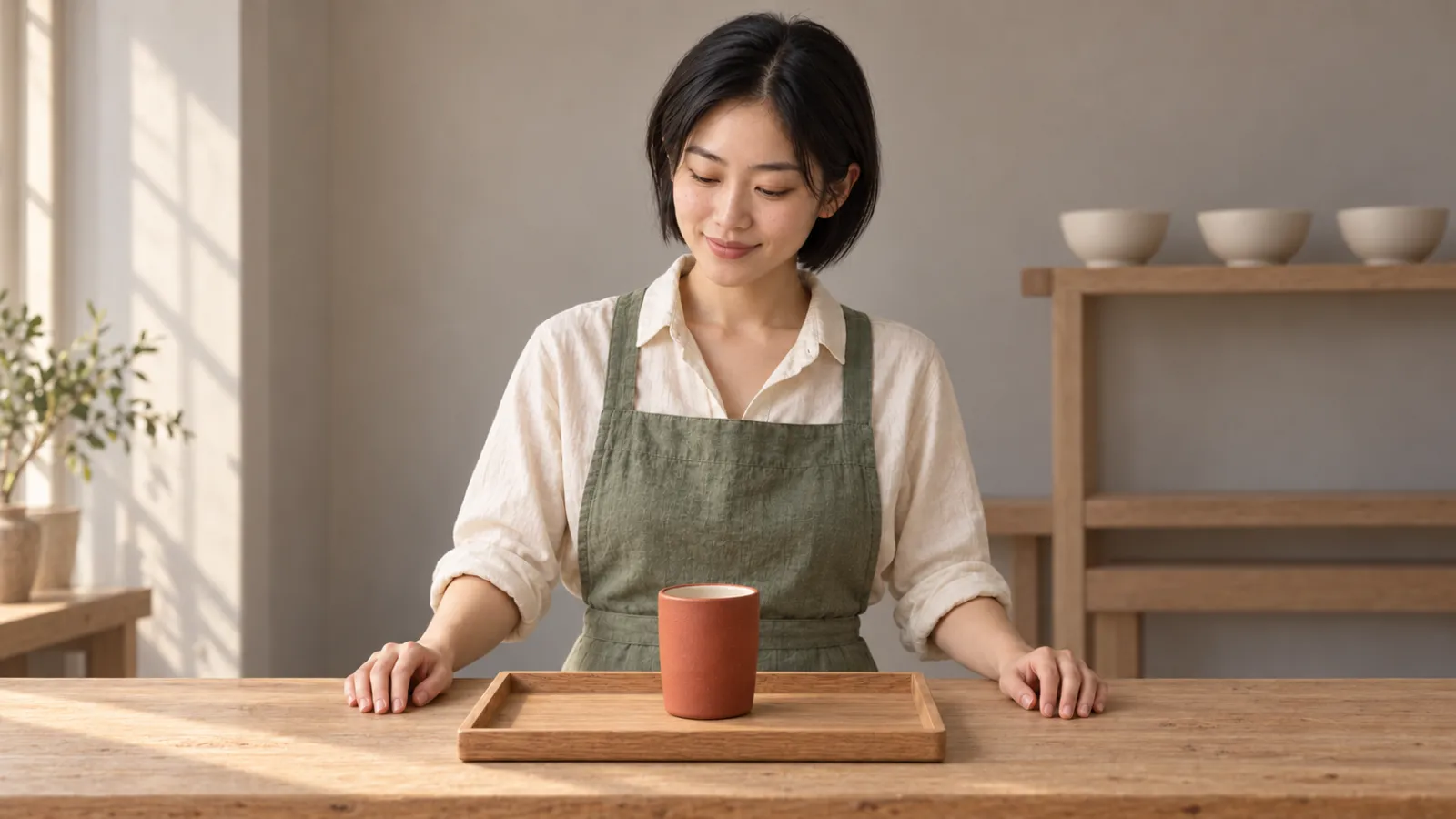
Caption: Illustration of the final composition; generated separately from the initial and contact diagrams, not a still frame from the same video.
This prompt describes the desired outcome, not a guarantee of generation. If the current input image clearly shows the appearance, redundant descriptions of appearance can be reduced, focusing instead on actions and temporal changes; if the mode requires additional reference details, retain necessary invariant elements.
Different models may also have different prompting habits.
Test in PixPix by first making one thing happen.
Choose a referencing method, then select specifications.
Open the PixPix Video Workbench, review the models and input modes available under your current account, then upload or link your materials. Do not indiscriminately pile character images, prop images, and scene images into a single task: First clarify which image represents the fixed identity, which depicts the fixed cup, and which defines the initial scene.
PixPix’s MiniMax H3 page introduces text, image, video, and audio inputs, distinguishing between text-to-video, start-and-end frames, and all‑purpose references; its official documentation specifies using start-and-end frames to define the beginning and end of the composition, while all‑purpose references lock in characters, props, and style. Seedance 2.5 page highlights multimodal referencing, extended timelines, and timestamp editing capabilities. These are official feature descriptions, not comparisons based on actual testing in this article; the options actually available depend on the specific workbench being used.
For the first attempt, you can choose the shorter duration offered by the current mode and match it to the intended final aspect ratio. Confirm first that both the placement and release actions have sufficient time, then consider longer narratives. Before submitting, check the specifications and resource consumption displayed on the workbench—do not estimate current costs based solely on fixed points listed in tutorials.
Use an action checklist instead of “feeling better”
Play the first version from start to finish, then pause to examine three key moments: the opening, when the cup’s base makes contact, and the ending. Check the structure using static frames, and play continuously to verify smooth transitions between actions.
At the opening, there is only one person, one cup, and one tray, with the cup indeed held in the hand.
The cup moves downward from the hand, without any sudden changes in the direction of the rim or the proportions of the cup body.
The bottom of the cup first touches the tray, after which the right hand releases it; there is no noticeable blending between the hand and the cup body.
At the end, the cup remains on the tray, the right hand has withdrawn, and there is no abrupt change in camera angle.
If a single item fails, record it first—don’t rush to add artistic details. Defects that cannot be resolved through repeated adjustments can be bypassed by reducing occlusion, simplifying movements, or splitting shots.
Save the version to keep evidence for comparison.
Recording item | What should be retained |
|---|---|
Input | Image files, various reference purposes, input modes |
Generation settings | Model, aspect ratio, duration, resolution, and other visible settings |
Prompt words | The complete text submitted this round |
Version changes | What was modified compared to the previous version |
Observation results | Which action passed, and at which stage did the defect occur |
When comparing models, try to align common inputs, prompts, aspect ratios, durations, resolutions, and generation counts. If certain conditions cannot be aligned, clearly specify them separately to avoid ranking tasks of differing difficulty together.
Frequently Asked Questions
Does a longer prompt always result in a more accurate video?
Not necessarily. Length does not substitute for task clarity. First retain the main subject, initial state, core actions, shot composition, and final state, then supplement with additional information based on actual defects. Redundant adjectives that do not contribute to the outcome can be removed initially.
Can simply writing “no deformation, no extra hands” fix the issue?
This alone cannot guarantee a fix. Prioritize describing the desired state—for example, “left hand resting flat on the table, right hand released and retracted, with the cup remaining upright”—then clarify what needs to be addressed according to the current model. If the current model includes a separate negative prompt field, fill it out according to its actual usage rather than assuming all models support it.
Do you still need to repeatedly describe the entire image when generating a video?
There’s no need for mechanical repetition. When the image already conveys the appearance and composition, the text can focus on describing subsequent actions; for multi‑step tasks, it’s important to clearly define the roles of characters, props, and the initial frame. Avoid conflicts where the visual material shows the cup has settled firmly, yet the text describes it flying in from a distance.
Why do failures still occur even when instructions are clearly stated?
Prompts are only one part of the input. The quality of references, occlusions, the complexity of movements, the model’s capabilities, and the randomness of generation can all affect the outcome. You shouldn’t attribute every anomaly to an omitted word, nor should you assume that adding just one more word will guarantee stability.
Start with a single, clear revision.
Enter the PixPix Video Workbench, prepare an initial frame that smoothly connects to the intended action, and first complete the task of “placing the cup steadily.” Check the results at three key moments—opening, contact, and conclusion—then decide what to modify in the next version.
When you can clearly identify which requirements have been met and which still fall short, your prompt transforms from a vague wish into a step-by-step creative guideline.

AI Image Tool Built for E-commerce Teams
For new product launches, advertising, and promotional campaigns, use AI to generate product images, scene visuals, ad creatives, and short video assets — making content production faster.